
Cartoon to Realistic AI
Make cartoon realistic ai with live-action lighting and natural textures. Create cartoon to live action ai photo looks with optional ai photo effects.
Example result
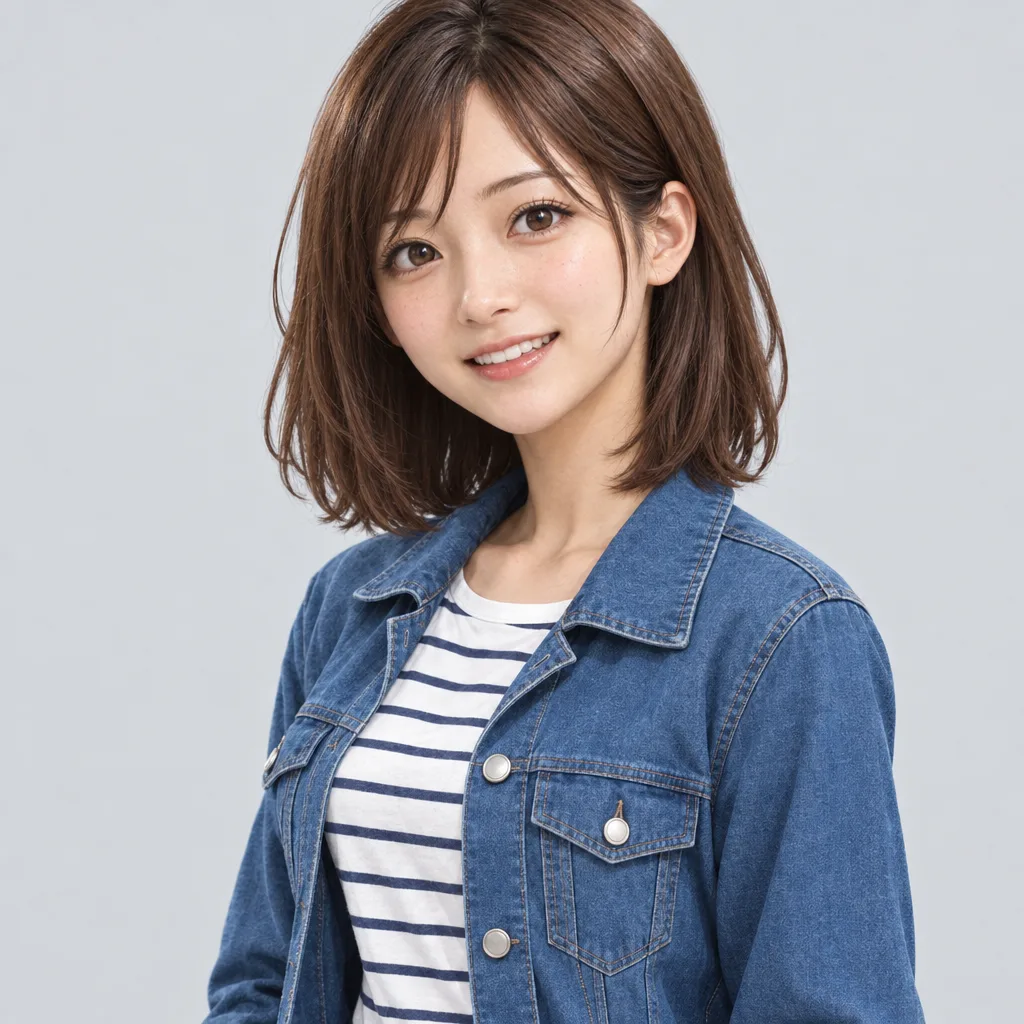
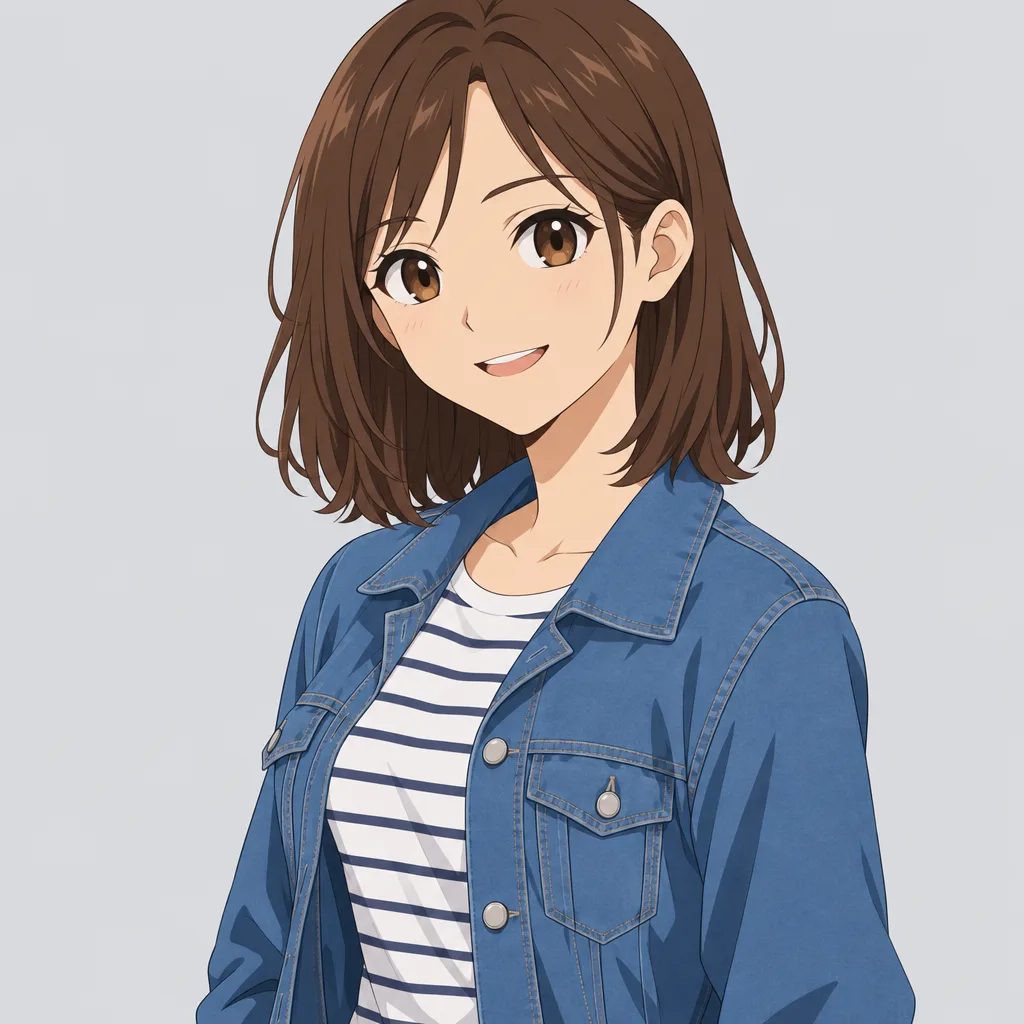
Drag the slider to compare before and after. Upload your photo to create your own version.
Tools you may like


What is Cartoon to Realistic AI?
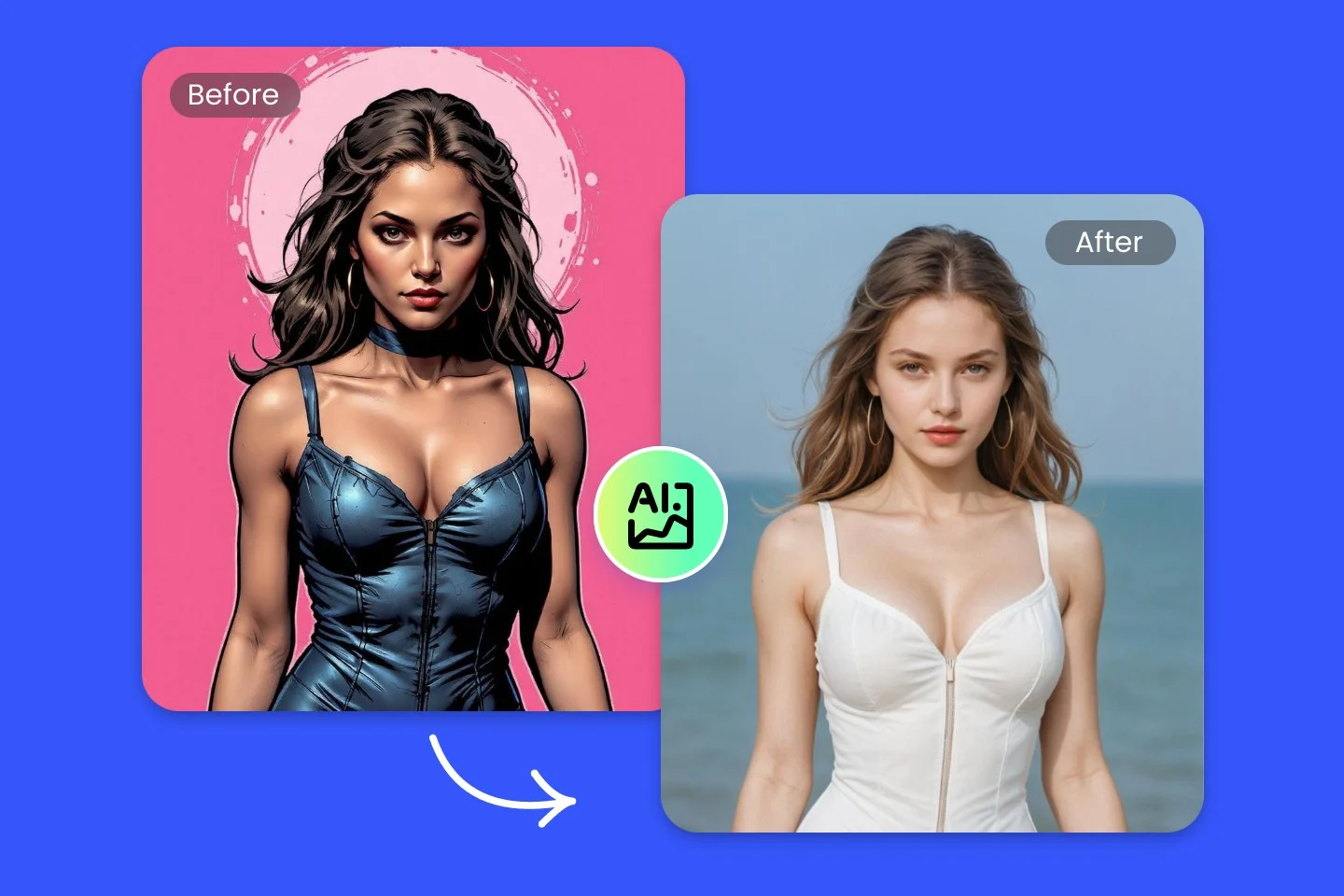
Cartoon to realistic ai turns cartoons, comics, and illustrations into photo-like images while preserving your subject. Upload a drawing, choose a realism level, and generate lifelike results quickly. Whether you want ai convert cartoon to real for a profile picture or need ai comic to realistic character studies, cartoon to realistic ai helps you bridge stylized art and believable detail without complex editing. Start with cartoon to realistic ai and refine the look with each run.
From sketch to photo
Use cartoon to realistic ai to add natural skin texture, lighting, and depth to flat art while keeping the original pose and composition. Cartoon to realistic ai is ideal for quick before/after tests when you make cartoon realistic ai for social profiles.
Identity-preserving realism
Tune face similarity so your character still feels like the same person when you make cartoon realistic ai for avatars or posters. Cartoon to realistic ai can also preserve key accessories.
Live-action style in one click
Switch on cartoon to live action ai photo mode for cinematic contrast and camera-like shading that looks ready for film stills. Pair it with cartoon to realistic ai for a polished result.
Photo-ready finishing
Add subtle ai photo effects like sharpening, background polish, and color balance so your realistic result looks clean and shareable. Use cartoon to realistic ai, then apply ai photo effects lightly.
Cartoon to realistic AI FAQs
Answers to common questions about cartoon to realistic ai, including how to get consistent results when you ai convert cartoon to real or apply ai photo effects. Use this cartoon to realistic ai guide to troubleshoot quickly.
How does cartoon to realistic ai work?
Cartoon to realistic ai analyzes shapes, edges, and color cues in your cartoon, then predicts realistic textures, shadows, and materials. You can guide the outcome with a realism slider and optional prompts (for example, lighting or a camera feel). For best results, start with a clear, high-resolution image and keep backgrounds simple. Cartoon to realistic ai improves with cleaner inputs.
Can I keep the original character’s features?
Yes. Use similarity controls to keep key facial features, hairstyle, and accessories. If you’re doing ai comic to realistic conversions, try one change at a time and re-generate to avoid drifting away from the source. Cartoon to realistic ai works best when the face is front-facing and unobstructed, especially when you make cartoon realistic ai for portraits.
Is this the same as ai convert cartoon to real?
They describe the same goal: turning stylized art into a photo-like result. Our cartoon to realistic ai is designed for quick iteration, so you can test multiple looks from soft realism to sharper live-action without manual retouching. It’s also useful for ai comic to realistic updates across a whole series and for cartoon to live action ai photo variations.
What is "cartoon to live action ai photo" and when should I use it?
Cartoon to live action ai photo is a preset that emphasizes cinematic lighting, camera-like contrast, and realistic depth. Use it for storyboard frames, character promos, or any scene where you want a film-still vibe while still starting from cartoon art. You can still ai convert cartoon to real with the same workflow.
What inputs give the best results?
Use clean linework, consistent colors, and larger faces. Avoid heavy blur, tiny subjects, or cluttered backgrounds. If you want to make cartoon realistic ai for people, choose images with visible eyes and clear contours. For objects, include simple shading so the model can infer volume. For comics, ai comic to realistic works best with high-resolution panels, and cartoon to realistic ai benefits from consistent color palettes.
Will the tool add ai photo effects automatically?
By default it focuses on realism, but you can enable ai photo effects to refine the final look, like gentle sharpening, color correction, and background smoothing. For a natural finish, keep effects subtle and rely on cartoon to realistic ai for the main transformation. If you need to make cartoon realistic ai for print, export at a higher resolution.