
Curly Hair Filter
Try a curly hair filter for realistic curl texture and volume. Compare ai curly hair filter results and match the look with haircut ai ideas.
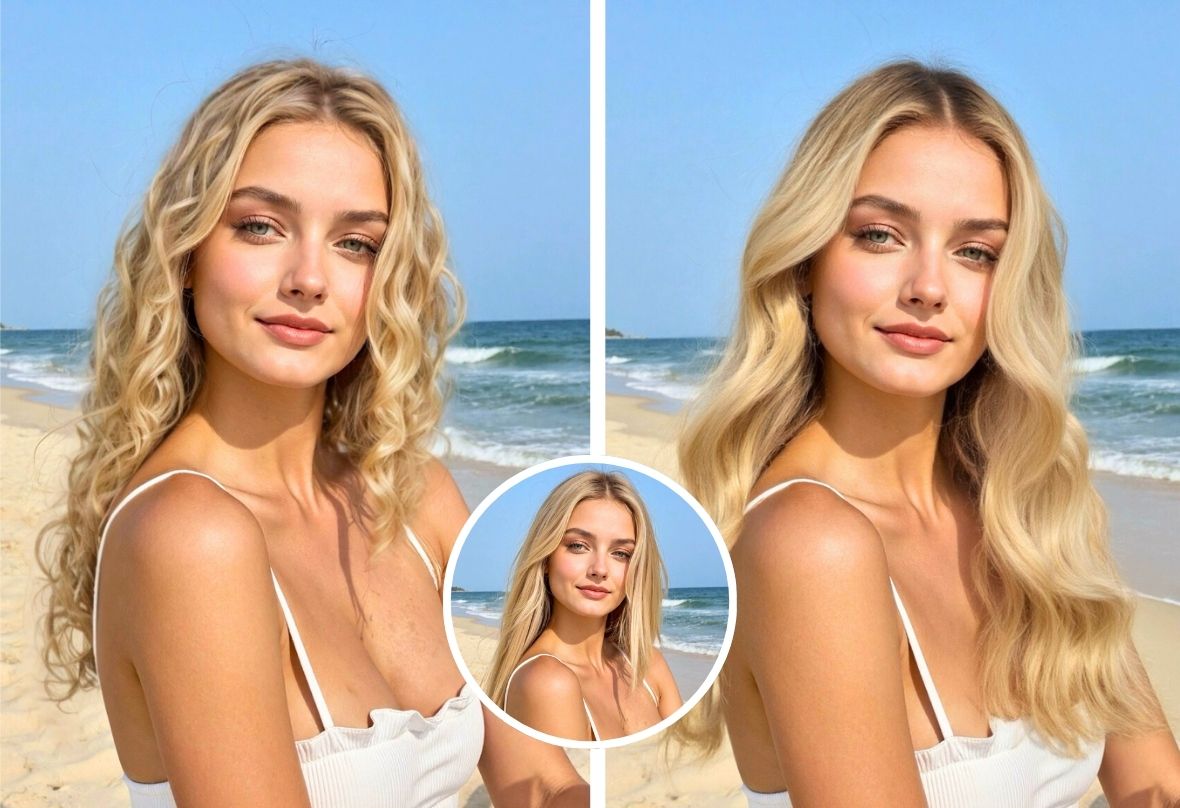
Example result


Drag the slider to compare before and after. Upload your photo to create your own version.
Tools you may like


What is Curly Hair Filter?
A curly hair filter is an AI-powered photo effect that helps you preview realistic curls on any portrait in seconds—no salon visit, no commitment. Upload a selfie, and the curly hair filter maps your hair area, then blends curl texture, volume, and bounce to match your face shape and lighting. Use it to test soft waves, defined ringlets, or tighter coils before you cut, style, or book an appointment. If you want a faster try-on, an ai curly hair filter gives you consistent results across different photos, while curly ai style options let you compare curl intensity and length side by side. Pair it with haircut ai ideas to decide whether curls look best with layers, bangs, a bob, or a longer shape—then save your favorite look for your next reference photo.
Realistic curl try-on, instantly
Get a curly hair filter preview that looks natural, with curl placement that follows your hairline and part. An ai curly hair filter helps keep results stable across selfies, headshots, and profile photos.
Made for every vibe and length
From loose waves to defined coils, curly ai options help you test different curl moods. Use the curly hair filter to explore short, medium, or long looks without changing your real hair.
Style planning with one workflow
Use the curly hair filter first, then refine your overall look with haircut ai inspiration—layers, bangs, or a clean bob. This makes it easier to pick a curl style that matches your features and outfit aesthetic.
Built for creators and everyday users
Whether you’re creating content or deciding on a perm, the curly hair filter makes quick before-and-after visuals. Curly ai comparisons help you choose a signature look, while an ai curly hair filter keeps edits quick and repeatable.
Curly Hair Filter FAQs
Answers to common questions about using a curly hair filter for natural-looking curl try-ons, plus tips for getting better results with an ai curly hair filter, curly ai styles, and haircut ai planning.
How does a curly hair filter work?
A curly hair filter detects the hair region and applies a curl texture that blends with your photo’s lighting and direction. With an ai curly hair filter, the curl pattern adapts to your head angle, helping the result look more realistic than a simple overlay.
Will the curls look natural on different hair lengths?
Yes—most curly ai effects are designed to scale across short, medium, and long hair. For the best curly hair filter outcome, choose a clear portrait where your hair outline is visible and not heavily covered by hands or hats.
Can I choose between waves, ringlets, and tight curls?
Typically, yes. A good curly hair filter offers multiple curl intensities so you can compare loose waves, defined ringlets, and tighter coils. Trying several curly ai options is the fastest way to find a look that matches your face shape and style.
What photo works best for an ai curly hair filter?
Use a front-facing or slightly angled photo with even lighting and minimal motion blur. An ai curly hair filter performs best when hair edges are clear, and curly ai results look more believable when your hair isn’t merged into a dark background.
Can I use haircut ai with a curly hair filter?
Absolutely. Start with a curly hair filter to pick curl type and volume, then use haircut ai to test cuts like layers, bangs, or a bob that complement curls. This pairing helps you decide both texture and shape before making changes.
Is a curly hair filter the same as a real perm or styling?
No—a curly hair filter is a visual preview, not a physical change. Use it to explore curly ai looks and narrow down what you like, then discuss feasibility with a stylist. Many people use an ai curly hair filter plus haircut ai references to communicate a clear goal.