
ai prompt for boys: 10 copy-paste photo prompts that keep your face
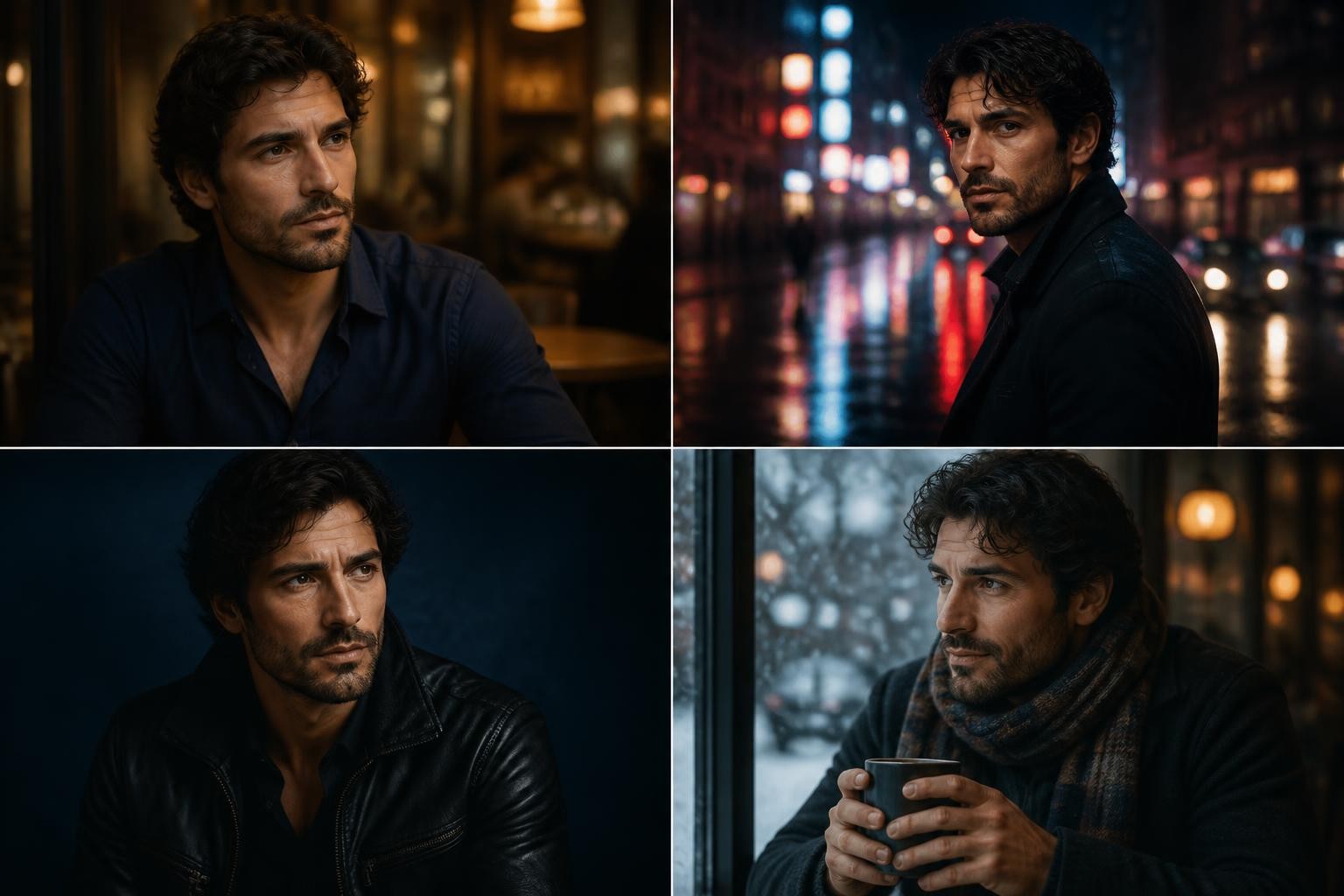
A strong ai prompt for boys is not a magic sentence. It is a short editing brief that locks your real face, names an outfit, places you in a specific scene, sets the lighting, and borrows camera language from real photography. When those five parts are present, Gemini, ChatGPT image editing, Nano Banana-style editors, and similar tools produce portraits that look like a planned photoshoot instead of a random AI face.
That distinction matters because most failed results come from the same mistake: people paste a vibe ("make me look cool, cinematic, attitude") and skip the identity lock. The model then rebuilds your face from scratch, and the edit stops being you. Every ai prompt for boys in this guide starts from the opposite assumption — your selfie is the source of truth, and the prompt only upgrades outfit, location, light, and mood.
Below you get the prompt anatomy first, then ten ready cases you can copy, and finally the adaptation rules that turn any ai photo prompt for boys into a version that fits your own photo, your platform, and your style.
The anatomy of a reliable ai prompt for boys
Every case in this article follows the same six-part structure. You can use it as a checklist when you write or edit your own prompt.
- Identity lock. Always open with an instruction like "keep the face exactly the same as the uploaded photo." Name what must not change: facial structure, skin tone, eyes, beard, expression. This single line does more for realism than any style keyword.
- Base photo quality. Upload a sharp, front-facing or slightly angled selfie with decent light and no heavy filter. A blurry or cropped input forces the model to guess, and guessing is where faces drift.
- Outfit and accessories. Specific beats stylish. "Oversized dark navy linen shirt, top buttons open, sleeves rolled" gives the model something buildable; "cool outfit" gives it nothing.
- Scene and props. One clear location with one or two props — a café table, a car hood, a balcony railing — anchors the composition.
- Lighting direction. Say where the light comes from and what color it is: warm window light from the left, sodium streetlamps from above, soft overcast midday.
- Camera language and format. Phrases like "85mm lens look, shallow depth of field" plus an aspect ratio such as 3:4 vertical tell the model how the frame should feel and where it will be posted.
If a prompt you found online is missing part one, add it yourself. If it is missing part five or six, the result will usually look flat even when everything else is right. Once you internalize the six parts, you can judge any ai prompt for boys you find on the internet in about ten seconds, before you spend a single credit on it.
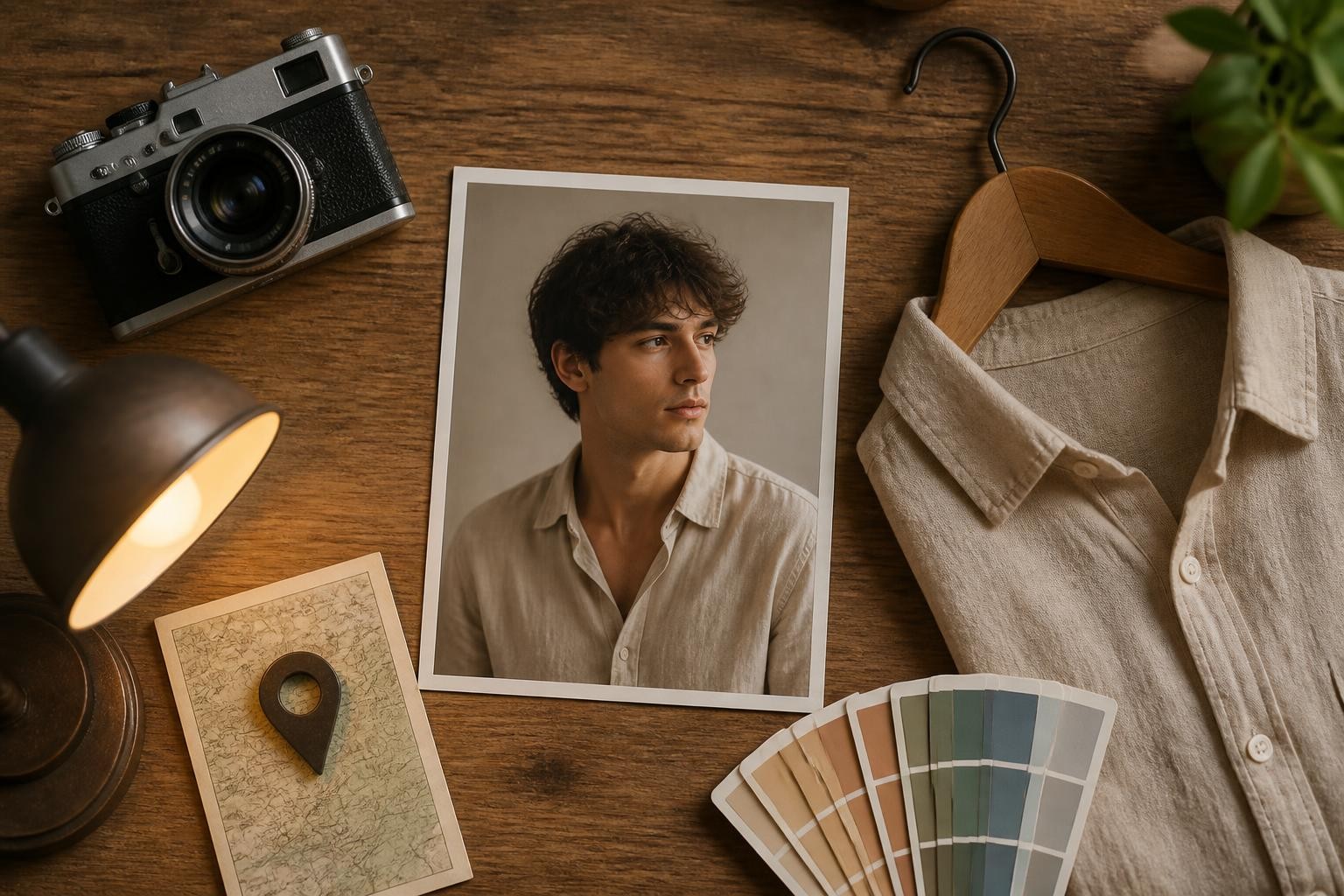
Editorial café and street ai prompt for boys cases
These three prompts produce the warm, Pinterest-style editorial look that works well for feed posts and profile photos. They are the most forgiving starting point if this is your first ai prompt for boys session, because daylight scenes hide small AI imperfections better than night scenes.
Warm café editorial
Use the uploaded photo and keep the face exactly the same: same facial structure, skin tone, eyes, beard, and natural expression. Place the man in a compact modern café with warm amber light. He sits at a small wooden table near an arched window, soft afternoon daylight from the left wrapping his face. He wears an oversized dark navy linen shirt with the top buttons open and sleeves rolled to the forearm, straight cream trousers, a black smartwatch, and two matte black bracelets. Thick dark hair in a relaxed textured crop. Calm eye contact with the camera. 50mm f/1.4 portrait look, shallow depth of field, warm honey color grade, light film grain, vertical 3:4.
All-white lane portrait
Keep the face fully faithful to the reference photo. A young man stands slightly off-center in a quiet cobblestone lane with pale stone walls and a wooden café door behind him. Soft overcast midday light. He wears an all-white co-ord: a relaxed button-up cotton shirt, wide-leg pleated white trousers, white low-profile sneakers, and a slim silver chain. Dark textured hair pushed back, calm confident expression, phone held loosely in one hand. 85mm lens look with the background melting into soft bokeh, cool off-white palette with warm stone undertones, luxury street editorial finish, 3:4 vertical.
Dusty pink blazer street edit
Face identical to the uploaded image, nothing altered. A bright modern city street with pale grey pavement and sharp geometric shadows. The man stands at a three-quarter angle and turns toward the camera with a relaxed, confident look. He wears a dusty rose oversized blazer over a clean white tee, dark charcoal tapered trousers, pearl white sneakers, and a slim silver chain. Thick dark hair with a slight wave pushed back from the forehead. 85mm f/1.6 look, a pale concrete wall with one arched window dissolving into bokeh behind him, dusty pink and soft grey color grade, matte editorial finish, 3:4.
Night, neon, and attitude cases
Night edits are the most requested ai prompt for boys category, and also the easiest to get wrong. The fix is always the same: name the light source (streetlamps, neon signs, window glow) and keep exactly one dominant color in the grade. This is also where most gemini prompts for boys collections online fall short — they describe the outfit but forget the light, so the model invents a muddy mix.
Save the editorial case that matches clothes you actually own. An ai prompt for boys works best when the outfit in the text is close to something you would really wear — the result feels like you on a good day, not like a costume.
All-black parking lot edit
Identity fully preserved from the reference photo. Night scene in an open parking lot under tall sodium streetlamps casting warm amber pools on wet concrete. The man leans against the hood of a matte black SUV, one arm resting on the bonnet, ankles crossed. All-black outfit: structured overshirt over a plain tee, slim black jeans, matte black high-tops, black watch, thin black chain, dark rectangular sunglasses. Voluminous textured hair with a side sweep. Low camera angle looking slightly up, 35mm look, background dissolving into dark bokeh with distant light streaks, cool dark grade with warm amber highlights, 3:4.
Neon city night portrait
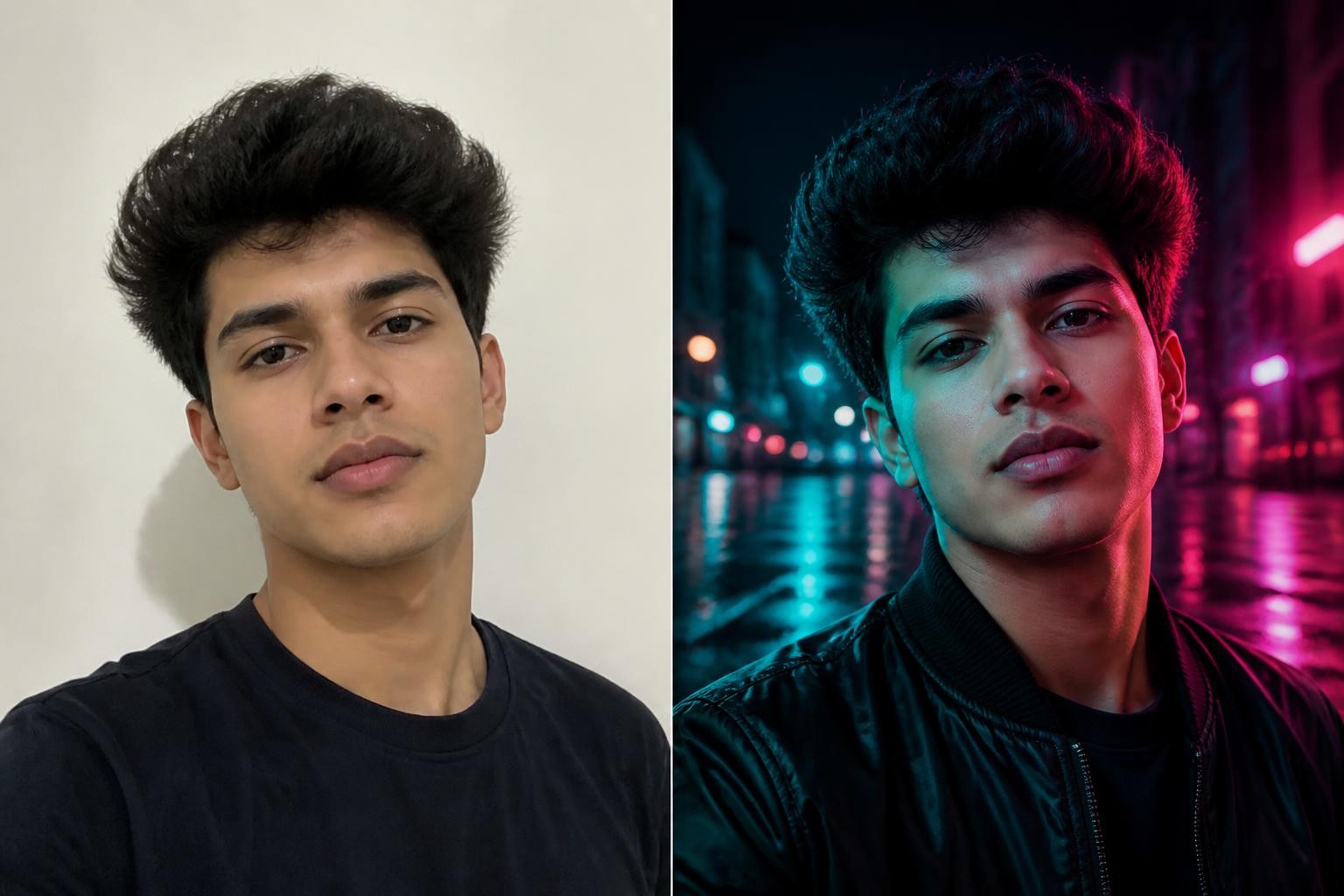
Create a photorealistic portrait of the same young man on a busy city street at night. Neon signage glowing behind him, light rain turning the pavement into reflections, slight motion blur on passing pedestrians. He wears a dark bomber jacket over a plain tee, city lights reflecting in his eyes, calm direct gaze into the camera. 85mm lens look, shallow depth of field, cinematic teal and magenta color grade, sharp focus on the face, 3:4 vertical.
Rose bouquet attitude portrait
Keep the real face from the uploaded image. Indoor fashion portrait of a young man with a voluminous dark wolf cut standing before a tall glass door with heavy dark curtains to one side. He wears rimless sunglasses, a slightly open black formal shirt, and loose white trousers, holding a small rose bouquet in one hand, gaze lowered. Soft directional light from the glass door, quiet luxury mood, realistic skin texture, editorial finish, vertical 3:4.
Villa balcony portrait
Use the reference photo and keep the same face. A young man in a white shirt and beige trousers leans on the balcony railing of a villa, flowering plants and greenery all around him. Soft natural daylight, dreamy warm atmosphere, realistic skin texture, relaxed posture with one hand in his pocket, calm expression looking just past the camera, lifestyle editorial look, 3:4.
If you specifically searched for a prompt for gemini ai boy attitude edits, these four are the ones to start with — paste them as-is, then change only the outfit line to match your taste. Whichever ai prompt for boys you pick from this group, keep the light-source sentence intact when you edit anything else, because it is doing most of the cinematic work.
Studio, gaming, and profile-ready cases
Studio prompts trade scenery for control. They are the best ai photo prompt for boys option when the goal is a clean profile picture, because there is no background for the model to fumble.
Dramatic studio portrait
Generate a moody studio portrait with the same face as the uploaded photo. The man wears a leather bomber jacket against a midnight blue gradient background, dramatic side lighting carving strong shadows across one side of his face. Sharp focus, high contrast, confident expression with a slight head tilt, professional photography look, 3:4 vertical.
Esports black jersey
Dress the man from the uploaded photo in a simple black esports-style jersey, arms crossed, looking straight into the camera. Solid black background, strong contrast lighting from one side, dark focused atmosphere, professional gaming team photoshoot aesthetic, face and hairstyle unchanged, 3:4.
Face-hidden silhouette portrait
Not every post has to show your face. This one keeps everything that makes the photo recognisably you — hairstyle, build, skin tone — and puts the face itself in shadow.
Use the uploaded photo as the identity reference, then keep the face hidden. A young man stands with his back mostly to the camera in a narrow alley at golden hour, head turned just far enough that the jawline catches the light while the face stays in shadow. Keep his exact hairstyle, build, and skin tone. Black oversized hoodie with the hood down, dark jeans, white sneakers. Warm backlight rimming the shoulders and hair, a long shadow stretching toward the camera, soft dust in the air, shallow depth of field, 85mm lens, photorealistic, quiet confident mood, 3:4 vertical.
If you came looking for a face hide prompt for boys, this is the one. The identity line still matters even though the face never shows — without it the model invents a different build and hairstyle, and the result stops looking like you from behind.
These profile-ready cases also make a smart first ai prompt for boys test: the output is fast to judge, and a clean head-and-shoulders frame doubles as a profile picture almost everywhere.
How to adapt any ai photo prompt for boys to your own photo
Copy-paste works until it does not. Treat every borrowed ai prompt for boys as a starting point rather than a finished product. These five rules cover the situations where a prompt needs adjustment, whether you use Gemini, ChatGPT, or another editor.
- Paste the prompt first, judge honestly. Generate once with the unchanged prompt. If the face, outfit, and scene all read well, you are done — do not tinker.
- Change one variable per generation. If the face drifted, strengthen the identity lock and regenerate. If the outfit is wrong, swap only the outfit lines. Editing three things at once makes it impossible to know what fixed what.
- Translate outfit references. Many gemini prompts for boys reference specific stores or regional fashion terms. Replace them with plain descriptions — fabric, fit, color, and one accessory — so any model can follow.
- Downgrade camera jargon when results look plastic. If skin looks airbrushed, remove "8K, ultra-detailed, hyper-realistic" stacking and keep one lens reference plus "natural skin texture."
- Re-anchor the scene to something you know. A prompt for gemini ai boy street edits written for a city you have never visited still works — but swapping in a street, café, or rooftop you actually recognize makes the final image easier to caption and more believable to people who know you.
Common failure modes have quick fixes. Identity drift: add "do not change facial features, skin tone, or expression" at the very start. Weird hands: add a pose where hands are in pockets, holding a prop, or out of frame. Random text or watermarks in the image: add "no text, no watermark, no logos." Flat lighting: name one light source and its direction.
Crops and platforms
The ai prompt for boys cases above all end with a 3:4 vertical ratio, which suits portraits and profile crops. Match the aspect ratio line to the destination before you generate. Profile photos and DPs: 1:1 or a tight 3:4. Instagram feed: 4:5. Stories, reels covers, and status images: 9:16. Generating in the right ratio beats cropping afterward, because the model composes the pose for the frame you asked for.
FAQ
Can I use the same ai prompt for boys in different tools?
Yes. These prompts are plain language, so they work in Gemini, ChatGPT image editing, and most photo-to-photo AI editors. Results differ in skin rendering and lighting style, so run your favorite prompt in two tools and keep the better face.
Why does my prompt for gemini ai boy edit change my face?
Usually the identity lock is missing or the input photo is weak. Put the same-face instruction first in the prompt, and upload a sharp, well-lit, front-facing selfie with no beauty filter.
How many times should I regenerate?
Two to four runs per prompt is normal. If the fourth result still fails the same way, edit the prompt itself instead of rolling again — the failure is structural, not random.
Try this ai prompt for boys on your next profile photo
You now have the anatomy, ten tested cases, and the fixes for the failures everyone hits. Pick one prompt that matches the platform you are posting to, upload a clean selfie, and generate your first edit with this ai prompt for boys toolkit — the image editor keeps your face from the uploaded photo and applies the outfit, scene, and lighting from your prompt in one step.
