
trending chatgpt prompt for photo editing: use the trend, then control the edit
The best trending chatgpt prompt for photo editing is not a magic sentence. It is a controlled edit brief: upload a clear photo, name the trend you want, define what must stay unchanged, describe the visual evidence that should appear, and specify the format you plan to post. That is why the strongest viral prompts in 2026 are not only "make this aesthetic." They say things like preserve the face, keep the outfit, use warm flash lighting, build a scrapbook collage, add film grain, or turn the subject into a collectible character without losing identity.
The reference pages from eWeek, Media.io, and Jagran Josh point to the same shift: ChatGPT photo edits are moving from simple filters toward story-led transformations. People are using prompts for cinematic portraits, scrapbook collages, flash-photo aesthetics, toy-style avatars, retro film looks, fashion edits, and Instagram-ready mood boards. The useful lesson is not that one style will stay viral forever. It is that a good prompt separates five decisions: identity, style, scene, detail, and output.
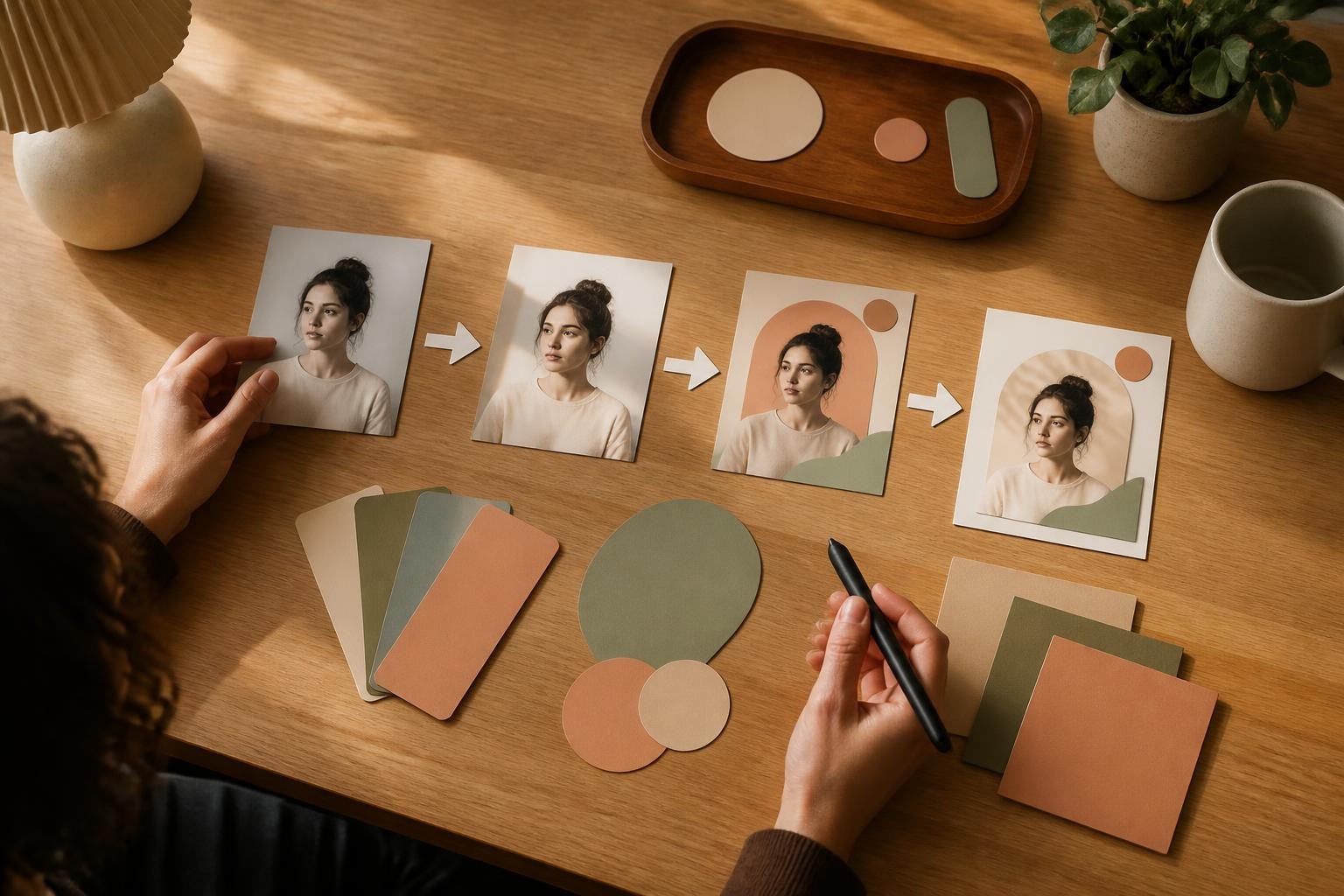
What the current prompt examples have in common
Most pages ranking for chatgpt photo editing prompts trending instagram repeat a familiar pattern: show a finished aesthetic, give a copyable prompt, and encourage quick experimentation. That is useful if you only need inspiration. It is weaker if you want repeatable edits.
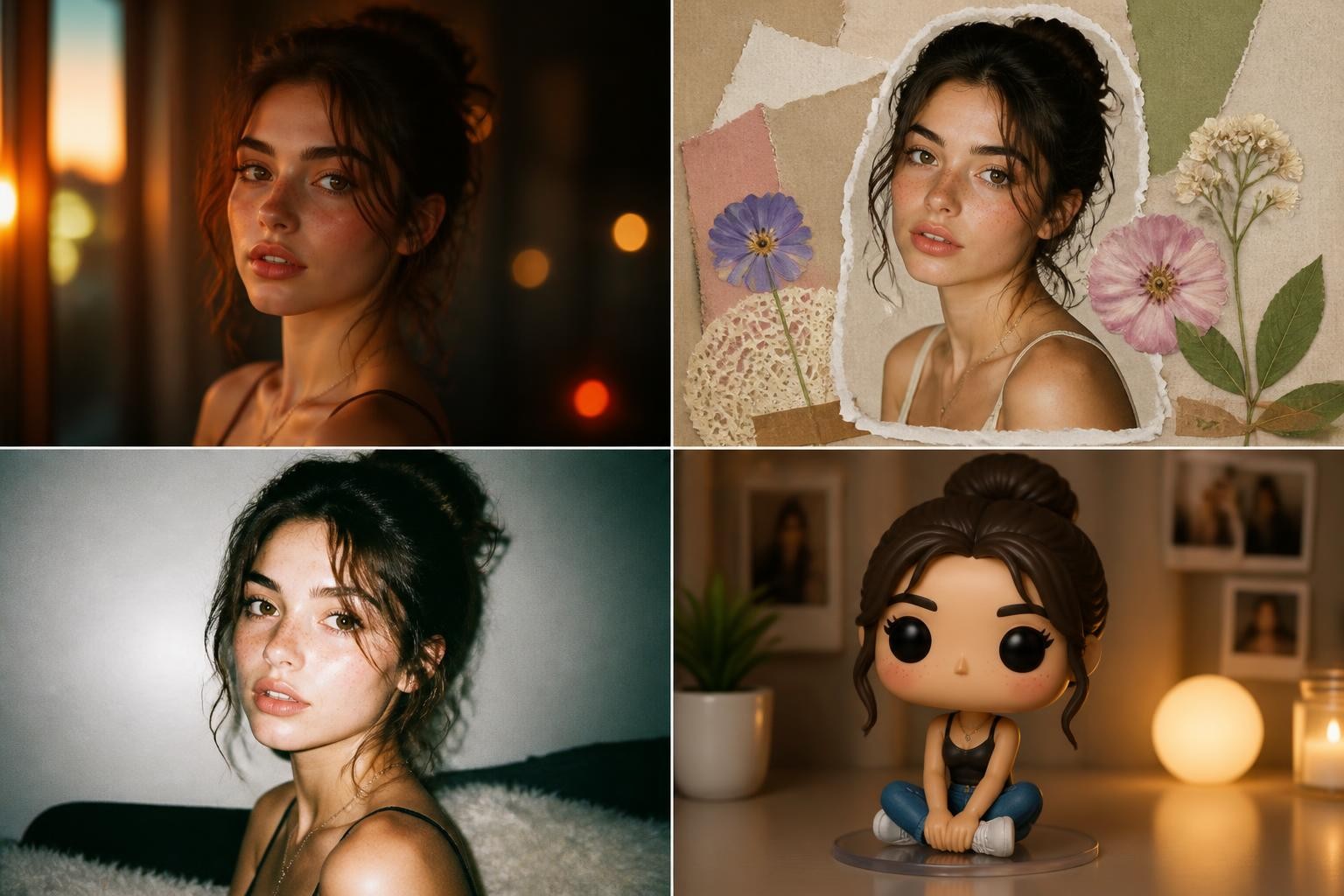
The examples cluster into a few families:
Cinematic portrait prompts
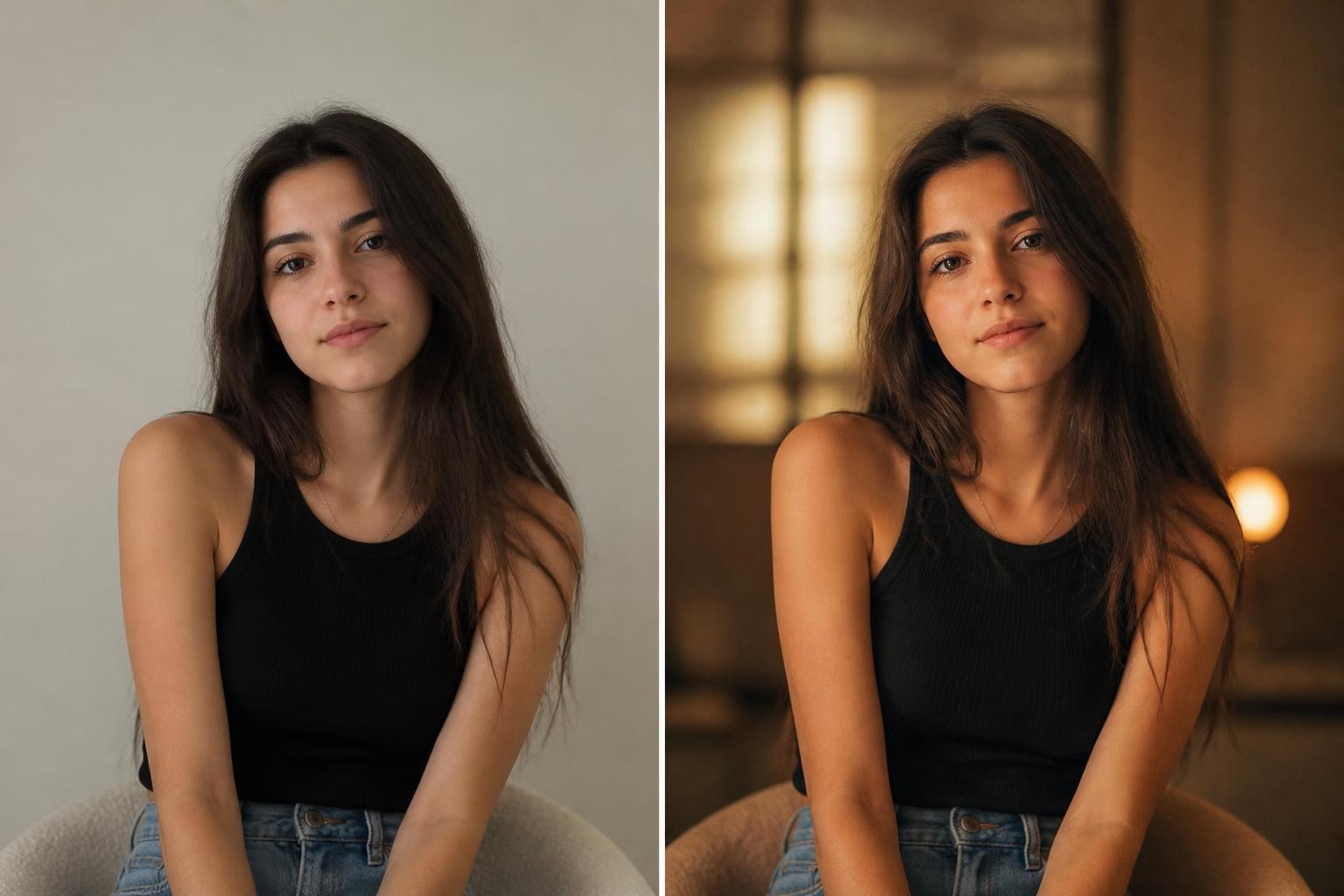
These prompts turn an ordinary selfie or portrait into something that feels shot for a movie poster, editorial spread, or moody social carousel. The common ingredients are directional light, shallow depth of field, color grading, realistic skin texture, and a stronger background mood.
Use this when the original image already has a clear face and simple pose. Avoid it when the photo is blurry, heavily filtered, or cropped too close, because the model has less reliable information to preserve.
Adapted prompt:
"Edit this photo into a cinematic editorial portrait. Preserve the person's facial identity, expression, hair, body proportions, and main outfit. Use soft directional light from one side, subtle film grain, warm highlights, deeper background shadows, and a realistic camera-photo finish. Keep the skin natural, avoid reshaping the face, and make the result suitable for an Instagram portrait post."
Scrapbook collage prompts
Jagran Josh and eWeek both surface collage-style edits: layered frames, torn paper, floral details, Polaroid-like panels, and warm retro grading. These work because they turn one image into a shareable composition rather than a single retouched portrait.
The trap is identity drift. If the prompt asks for multiple versions of the same person, each small frame may alter the face. The fix is to keep pose variation modest and repeat the preservation instruction.
Adapted prompt:
"Create a warm scrapbook-style portrait collage from this photo. Use one main portrait and three smaller cropped panels showing close-up details from the same identity, such as side profile, eyes, and natural smile. Preserve the exact face, skin tone, hairstyle, and expression style. Add paper textures, soft floral accents, masking tape, warm flash lighting, and subtle grain. Do not add readable text or logos."
Flash photography and anti-perfect edits
One of the more interesting trends is the move away from overly polished AI output. eWeek describes an "anti-AI" aesthetic built around imperfections such as grain, blur, light leaks, and vintage-photo texture. Media.io also highlights flash, neon, retro, and social-ready prompt styles.
This works because social feeds are saturated with smooth AI images. A little imperfection can make an edit feel less synthetic. The goal is controlled imperfection, not damaged image quality.
Adapted prompt:
"Edit this portrait with a direct-flash night photography look. Preserve the person's face and clothing. Add realistic flash highlights, deeper background shadows, slight motion softness in the background only, fine film grain, and a candid digital-camera mood. Keep the subject sharp enough for a profile or carousel cover. Do not over-smooth skin."
Toy, chibi, and collectible transformations
Toy-style prompts ask ChatGPT to reinterpret a real person as a chibi figure, action figure, Barbie-style doll, miniature character, or collectible avatar. These spread quickly because the format is instantly recognizable and easy to remix.
Use them for playful posts, not for serious professional portraits. Also be careful with packaging, logos, and readable brand-like text. Many toy prompts ask for retail boxes, but fake packaging can create messy text and accidental trademark issues. A cleaner version uses the toy look without asking for readable labels.
Adapted prompt:
"Transform the person in this photo into a stylized 3D collectible figure while preserving recognizable hairstyle, outfit colors, and key accessories. Place the figure in a clean studio toy-photography scene with soft reflections and miniature props. Keep the face friendly and stylized, not uncanny. Avoid readable packaging text, logos, or brand marks."
Fashion and cultural styling prompts
Media.io includes many fashion-led examples, such as saree, luxury portrait, pastel editorial, and outdoor natural-light looks. These prompts are strongest when they respect the subject and treat styling as a photographic direction rather than costume randomness.
For fashion edits, specify fabric, lighting, pose, realism, and what not to alter. If the edit involves cultural clothing or ceremonial styling, avoid caricature and keep the result grounded.
Adapted prompt:
"Edit this portrait into a realistic fashion editorial image. Preserve the person's face, skin tone, body proportions, and natural expression. Use elegant fabric texture, soft warm lighting, a clean background, and realistic shadows. The styling should feel polished but believable, with no exaggerated beauty retouching and no changes to identity."
The five-part formula behind a reliable prompt for ChatGPT photo editing
A strong prompt for chatgpt photo editing does five jobs in order. If one part is missing, ChatGPT may still produce an attractive image, but it becomes harder to control.
1. Name the edit type
Start by saying whether you want a subtle retouch, a full style transformation, a collage, a background change, a fashion edit, a toy-like avatar, or a cinematic portrait. The edit type tells the model how far it can move away from the original.
Weak:
"Make this look viral."
Better:
"Edit this selfie into a warm cinematic Instagram portrait while preserving my exact face, hairstyle, expression, and outfit."
The better version sets a boundary. It asks for a trend but does not give permission to reinvent the person.
2. List the preservation rules
For photo editing, preservation rules matter more than style words. OpenAI's ChatGPT Images help page explains that users can upload an existing image and describe changes, while OpenAI's image guidance recommends clear instructions about what should change and what should stay the same. In practice, the phrase "keep everything else the same" is useful, but it is even better to name the important parts.
Preserve:
- Facial identity
- Skin tone
- Hair shape and color
- Expression
- Body proportions
- Outfit shape and color
- Camera angle
- Lighting direction when the original lighting matters
You do not need all of these every time. Use the ones that protect the thing readers will notice first.
3. Add visible trend evidence
Trend words are vague unless you translate them into visible details. "Aesthetic" could mean soft girl, Y2K flash, vintage film, cyberpunk, quiet luxury, Indian wedding editorial, dreamy collage, or clean LinkedIn headshot.
Instead of:
"Make it Instagram aesthetic."
Say:
"Use warm golden-hour light, soft background blur, natural skin texture, a cream-and-amber color palette, subtle film grain, and a portrait crop with space above the head."
This gives ChatGPT observable details to build.
4. Define the composition
Many viral prompt examples use collage layouts because they look rich in a feed. But collage prompts can fail if the layout is vague. Specify the number of panels, the main image, and the secondary details.
For a collage:
"Use one large central portrait and three smaller overlapping frames. The smaller frames should show natural close-up details from the same photo identity, not new invented faces."
For a single portrait:
"Use a waist-up portrait crop, camera at eye level, subject centered slightly left, background softly blurred."
For a story image:
"Keep the subject full body, leave clean space around the figure, and make the environment clear enough to understand at mobile size."
5. State the output use
A photo meant for Instagram Stories, a profile photo, a carousel cover, a LinkedIn headshot, and a blog hero image should not be framed the same way.
Useful output instructions:
- "Square crop for an Instagram feed post."
- "Vertical composition for a Story, with clean space at the top and bottom."
- "Close portrait crop for a profile picture."
- "Landscape 3:2 crop for a blog article image."
- "No readable text, no logos, no watermark."
Instagram's Restyle feature shows why this matters. As TechCrunch reported, Instagram brought prompt-based AI editing directly into Stories, including add, remove, and change commands. When prompt editing is built into the posting surface, the final format becomes part of the prompt, not an afterthought.
Which trending prompt should you choose?
Use the trend that matches the job of the photo. A prompt can be visually popular and still wrong for your image.
Choose cinematic portrait when the face is the hero
Best for:
- Solo portraits
- Profile refreshes
- Musician, creator, or personal brand photos
- Posts where mood matters more than props
Prompt direction:
"Cinematic editorial portrait, preserve identity, realistic skin texture, directional light, subtle grain, clean background separation."
Avoid:
- Overly complex props
- Heavy fantasy elements
- Multiple invented expressions
Choose scrapbook collage when the post needs a carousel-cover feeling
Best for:
- Instagram mood boards
- Birthday posts
- Couple edits
- Fashion or creator portraits
- Pinterest-style visuals
Prompt direction:
"One main image, three supporting close-up panels, tactile paper elements, floral or object accents, warm color grade, same identity in every panel."
Avoid:
- Too many panels
- Readable fake music-player text
- Random stickers that cover the face
Choose flash or film when polished AI looks too synthetic
Best for:
- Night portraits
- Indie fashion edits
- Concert-style images
- Casual social posts
- Throwback looks
Prompt direction:
"Direct flash, real camera feel, slight grain, natural skin, background depth, controlled blur outside the subject."
Avoid:
- Heavy blur on the face
- Excessive scratches or dust
- Overly orange color grading
Choose toy or avatar when recognition matters less than play
Best for:
- Fun social posts
- Character concepts
- Creator challenges
- Sticker-like avatars
Prompt direction:
"Stylized 3D figure, recognizable outfit and hair, clean miniature scene, soft studio lighting, no readable package text."
Avoid:
- Fake branded boxes
- Overly plastic skin if the result feels uncanny
- Professional contexts where the style looks unserious
Choose fashion editorial when the outfit is the story
Best for:
- Outfit posts
- Beauty content
- Traditional wear edits
- Portfolio-style portraits
- Product or accessory focus
Prompt direction:
"Realistic fabric texture, accurate face preservation, natural posture, clean editorial lighting, restrained retouching."
Avoid:
- Changing body shape
- Flattening fabric details
- Styling that conflicts with the subject's original pose
A reusable prompt template you can adapt
Use this template when you want a prompt that is trend-aware but not chaotic:
"Edit the uploaded photo into [trend/style]. Preserve [identity details that must stay the same]. Change only [specific elements to transform]. Add [visible style evidence: lighting, color, texture, background, props]. Compose it as [single portrait/collage/story/profile crop]. Make it look [realistic/editorial/playful/cinematic] while avoiding [distortions, extra fingers, over-smoothed skin, readable text, logos, watermark]. Output should be suitable for [Instagram post/Story/profile/blog/social carousel]."
Here is the same template filled in for a trending Instagram collage:
"Edit the uploaded photo into a warm cinematic scrapbook collage. Preserve the person's exact facial identity, skin tone, hairstyle, expression, outfit, and body proportions. Change only the presentation style. Add warm flash lighting, subtle film grain, cream paper textures, soft floral accents, and three smaller overlapping close-up frames from the same identity. Compose it with one main portrait and three supporting detail frames. Make it realistic and editorial while avoiding face distortion, over-smoothed skin, readable text, logos, and watermark. Output should be suitable for an Instagram carousel cover."
And a cleaner version for a profile image:
"Edit the uploaded portrait into a polished cinematic profile photo. Preserve the exact face, expression, skin tone, hairstyle, and clothing. Improve the lighting, soften the background, add subtle warm color grading, and keep natural skin texture. Use a close portrait crop with the face clear at small size. Avoid beauty reshaping, heavy filters, extra accessories, readable text, logos, or watermark."
How to rewrite a viral prompt without copying it blindly
Copy-paste prompts can work, but they often include unnecessary details from someone else's image. The smarter workflow is to extract the structure.
Step 1: Identify the trend category
Is the prompt doing cinematic portrait, scrapbook collage, toy transformation, fashion editorial, background replacement, or film emulation?
Step 2: Remove details that do not fit your photo
If a prompt mentions lilies, a music-player card, neon blue lighting, a saree, a cyberpunk city, or a ballroom, ask whether those details make sense for your image. Trend details should support the subject, not bury it.
Step 3: Replace generic quality terms with visible details
Words like "4K," "viral," "premium," and "aesthetic" are weak on their own. Keep one or two if you like, but add visible evidence: lens feel, lighting direction, texture, color palette, background depth, and framing.
Step 4: Add preservation rules near the front
Do not hide identity instructions at the end. Put them immediately after the edit type:
"Preserve my exact facial identity, skin tone, expression, hairstyle, and outfit."
That sentence matters more than another style adjective.
Step 5: Add a failure guard
End with the most common things you do not want:
"Avoid face distortion, over-smoothing, extra hands, unreadable text, logos, watermark, and changing the person's age."
This will not guarantee perfection, but it reduces predictable failures.
Prompt examples by use case
These examples are original, but they are built from the trend patterns visible in the reference pages.
Instagram cinematic portrait
"Edit this uploaded portrait into a cinematic Instagram photo. Preserve my exact facial identity, skin tone, hairstyle, expression, and clothing. Use soft golden-hour side light, realistic background blur, natural skin texture, warm highlights, and gentle film grain. Keep the pose and camera angle close to the original. Make it polished but not over-retouched. Avoid face reshaping, extra accessories, readable text, logos, and watermark."
Warm scrapbook collage
"Create a warm scrapbook-style collage from this photo. Use one large main portrait and three smaller overlapping detail frames based on the same person. Preserve the exact face, hairstyle, outfit, and natural expression across all frames. Add cream paper textures, subtle tape pieces, soft flowers, warm flash lighting, and a vintage color grade. Keep all decorative elements away from the eyes and mouth. No readable text, logos, or watermark."
Anti-AI film photo
"Edit this crisp portrait to feel like an authentic 1990s film photo. Preserve the person's identity, pose, clothing, and expression. Add fine film grain, slight edge softness, gentle color fading, a small warm light leak near the edge, and realistic imperfect exposure. Keep the face clear and recognizable. Avoid heavy blur, fake scratches over the face, over-orange color, and plastic-looking skin."
Neon city portrait
"Edit this portrait into a moody neon city-night image. Preserve the face, hairstyle, outfit, and body proportions. Add cyan and red practical light from the sides, wet pavement reflections in the background, shallow depth of field, and a cinematic street-photo mood. Keep the subject sharp and realistic. Avoid cyberpunk armor, extra objects on the body, readable signs, logos, and watermark."
Clean fashion editorial
"Turn this portrait into a clean fashion editorial image. Preserve the exact facial identity, body proportions, hairstyle, and expression. Improve the lighting, make fabric texture clear, use a simple refined background, and apply a soft magazine-style color grade. Keep the pose believable and the retouching restrained. Avoid changing the person's age, body shape, skin tone, or facial features."
Playful collectible figure
"Transform the person in this photo into a stylized 3D collectible figure. Preserve recognizable hairstyle, outfit colors, glasses or accessories, and overall personality. Place the figure in a clean miniature studio scene with soft shadows and a few simple props. Make it charming and toy-like without making the face unsettling. Avoid readable package text, brand logos, watermark, and exaggerated body distortion."
Common mistakes that make trending prompts fail
Mistake 1: Asking for a trend without a source photo strategy
The better the input photo, the better the edit. A clear portrait with visible face, hair, and upper body gives the model more information to preserve. Blurry screenshots, heavy beauty filters, sunglasses, cropped faces, or extreme shadows make identity preservation harder.
Mistake 2: Treating "keep my face the same" as enough
It helps, but it is not always enough. Add more anchors: face shape, skin tone, eye shape, hairstyle, expression, age, and outfit. If the original pose matters, say that too.
Mistake 3: Overloading the prompt with every viral object
Flowers, paper scraps, Polaroids, neon lights, music cards, film grain, bokeh, cyberpunk colors, and toy packaging do not all belong in one image. Pick one main trend and two or three supporting details.
Mistake 4: Asking for readable overlays inside the image
Many social prompt examples include music-player overlays, magazine covers, or package labels. ChatGPT Images has improved text rendering, but in-image text still creates review work and can look messy in small mobile crops. For social posts, it is often cleaner to generate a no-text image and add final captions, stickers, or typography inside your editing app.
Mistake 5: Publishing the first result without checking the face
Always zoom in before posting. Check eyes, teeth, hands, ears, jewelry, background signs, and any text-like shapes. For identity-sensitive edits, compare the result with the original and regenerate if the person looks noticeably altered.
A simple workflow for turning trends into repeatable edits
Pick one trend
Start with a single direction: cinematic portrait, scrapbook collage, direct flash, retro film, toy avatar, or fashion editorial. Do not combine trends until you know the base edit works.
Write the preservation line first
Use a direct sentence:
"Preserve the exact facial identity, skin tone, hairstyle, expression, body proportions, and outfit from the uploaded photo."
Then add the style.
Generate one version
Do not start by asking for many variations. First see whether the model understands the identity and composition.
Revise one thing at a time
If the face is good but the lighting is wrong, revise only the lighting. If the collage is too crowded, reduce the panel count. If the style is too artificial, ask for natural skin texture, fewer effects, and more realistic camera lighting.
Save the winning prompt
When a prompt works, save it as a reusable base. Next time, swap the trend evidence rather than rewriting from scratch.
The bottom line
A trending prompt should be a starting point, not a script you obey. The real skill is translating a viral look into a controlled edit brief: preserve the subject, choose one style family, define visible details, compose for the platform, and guard against common failures.
For creators who want to test a trending chatgpt prompt for photo editing in a more directed image-to-image workflow, try trending chatgpt prompt for photo editing and start with one clear source photo plus one of the structured prompts above.