
Prompt Seen: 10 Couple, Cartoon, and ChatGPT Photo Prompts to Copy
Prompt seen is the phrase people search when they want the exact words behind a trending AI photo edit. You copy a prompt, attach a clear photo in an image tool such as ChatGPT or Gemini, paste the text, and check whether the result still looks like you. It is not an app or a filter. The written prompt does the work, so the same text can produce noticeably different pictures in different tools.
The ten original prompts below cover three popular looks: romantic couple scenes, cartoon portraits, and everyday ChatGPT edits. Each one pastes as a single message and comes with one adjustment worth trying. Start with the prompt seen style that suits the photo you already have, not the most dramatic sample in your feed.
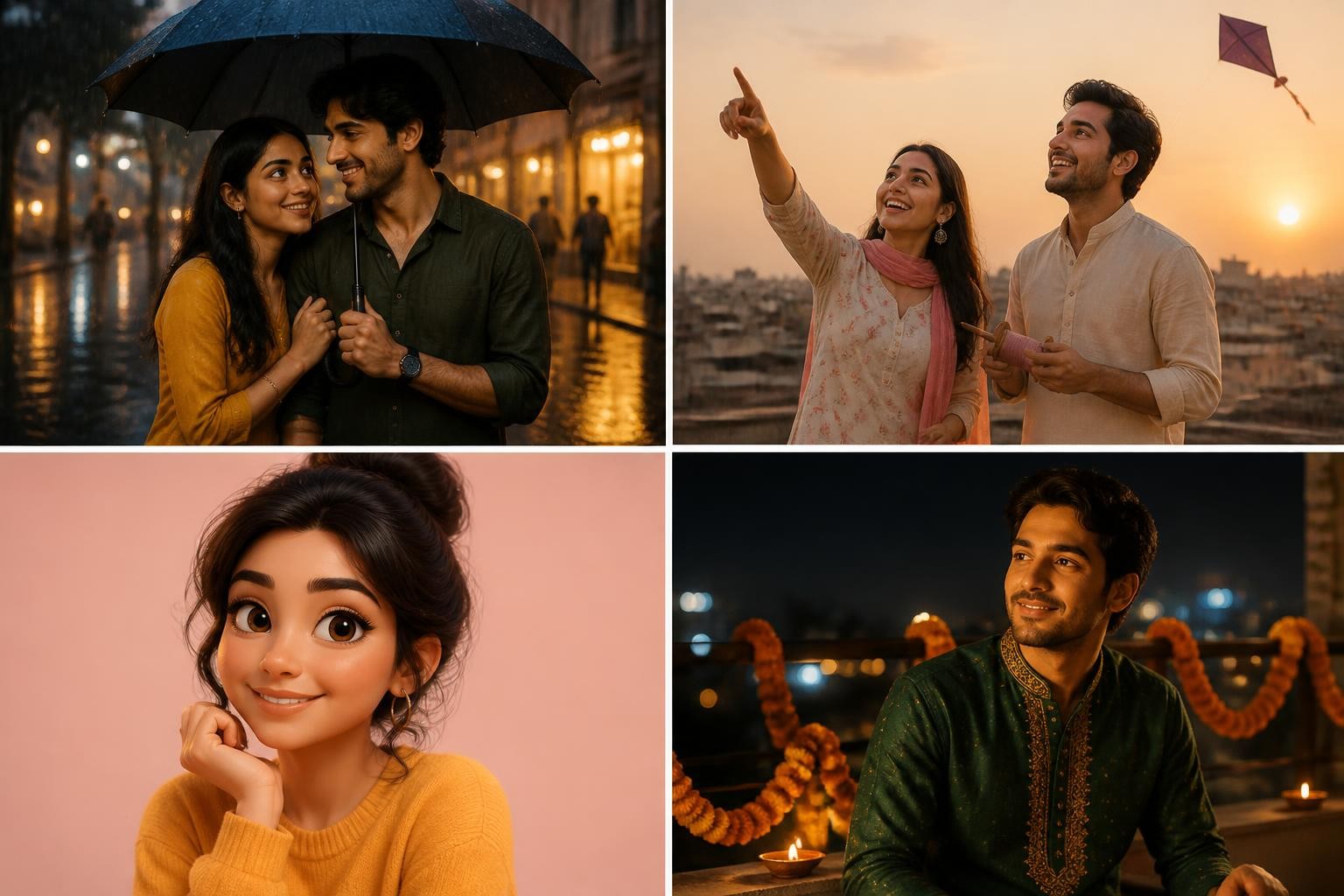
The images here are AI-generated illustrations, not results from testing these prompts.
Text-only or photo-based: check before you paste
Many shared prompt seen posts describe invented people. Paste one of those without a photo and you get two attractive strangers, not you and your partner. That explains a familiar prompt seen romantic couple complaint: the pair looks great, but they are not you. A photo-based prompt opens with an identity line, such as "Keep the faces, skin tones, and hairstyles from the attached photo," and only works when the picture is attached to the same message.
You can convert one type into the other. To put yourself into a text-only prompt, attach your photo and add the identity line at the start. To create a fictional scene instead, delete that line and describe the people in general terms. Every prompt below is photo-based unless it is marked otherwise.
How each prompt is built
All ten prompts follow the same five-part order:
- Identity: what must not change, such as faces, skin tone, hairstyle, and glasses.
- Scene: one specific place and one small action.
- Camera: distance and angle, for example waist-up or slightly low.
- Light: a time of day or a named light source.
- Output guard: the image shape, plus what to leave out, such as text, logos, or extra people.
Gestures are assigned by position ("the person on the left") rather than by pronoun, so the model knows who does what. When a result disappoints, change one part at a time; rewriting the whole prompt hides which change helped.
Prompt seen romantic couple prompts
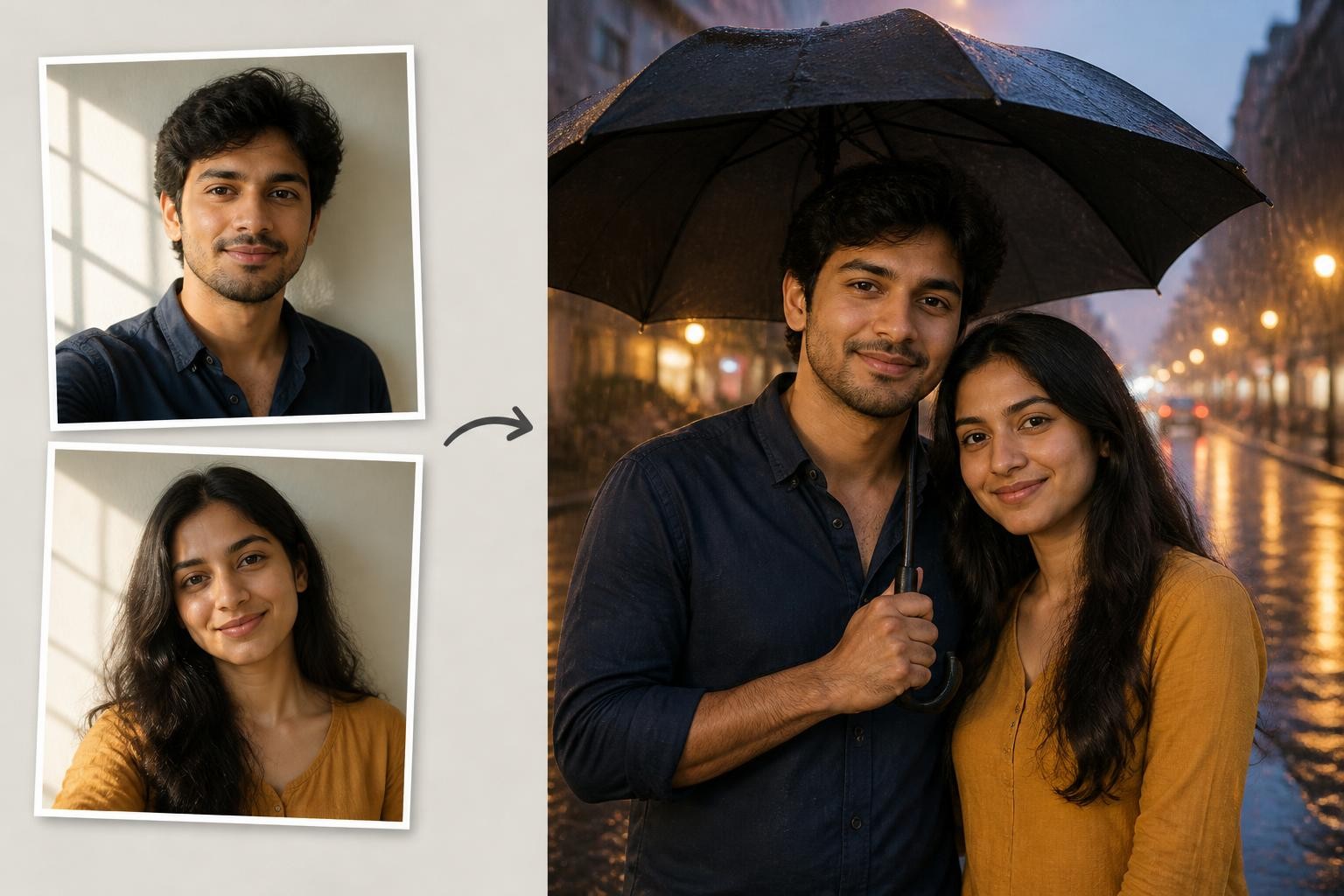
A shared photo of you both is the best starting point for any prompt seen romantic couple edit, because it already fixes your heights, spacing, and posture. Two separate selfies can work too: attach both in the same message, choose pictures with similar light direction and face size, and state which person stands on the left. Only upload a partner's photo with their agreement.
1. Monsoon umbrella close-up
Use a waist-up photo of you both. Rain scenes work best when faces stay dry and clearly lit.
Keep our faces, skin tones, hairstyles, and height difference from the attached photo. Show us waist-up under one black umbrella on a city street in light monsoon rain. The person on the left holds the umbrella and tilts it toward the other, who grips their sleeve and smiles. Warm shop light falls softly on our faces, and the wet road behind us shows blurred reflections. Natural skin texture, vertical 4:5 photo. No readable signs, logos, or extra people.
Try changing: Swap the black umbrella for a yellow one if the frame feels too dark. Keep the faces lit from the front so the rain stays behind you.
2. Rooftop kite at golden hour
A relaxed knee-up or full-length photo suits this kite-flying scene.
Keep our faces, body shapes, and natural expressions from the attached photo. Place us close together on a flat city rooftop at golden hour. The person on the left holds a wooden kite spool while the person on the right points up at a paper kite, laughing. Low sun from the side, warm haze, and a soft rim light on our hair. Camera at chest height with a slight low angle, vertical 9:16. No text, logos, or watermark.
Try changing: For a quieter version, remove the kite and add string lights along the rooftop rail. Keep the low sun so both faces stay warm.
3. Bookshop aisle (text-only)
This one creates a fictional couple; add the identity line and your photo to appear in it yourselves.
Create a candid photo of a young adult South Asian couple in a narrow independent bookshop aisle. One sits on a low wooden step reading; the other leans on the shelf and points at a line on the page, making them laugh. Tilted side angle at eye level, afternoon window light from the left, shallow depth of field. Book spines are plain colors with no readable titles. Vertical 9:16, realistic skin texture, no watermark.
Try changing: Show the season through clothing, such as wool scarves for winter. If letters still appear on the spines, ask for a softer background blur.
4. Lake boat at sunset
This prompt seen romantic couple scene converts well from a seated photo, such as the two of you on a bench.
Keep our faces, skin tones, and hairstyles from the attached photo. Seat us side by side in a small wooden boat on a calm lake at sunset, with mountains faint in the distance. The person on the left trails a hand in the water while the other leans against their shoulder. Camera slightly above eye level from the front of the boat. Warm orange light, gentle reflections, vertical 4:5. No other boats nearby, no text or logos.
Try changing: Use a blue-hour sky for a cooler mood. Name a shawl or jacket color so neither outfit blends into the water.
Prompt seen cartoon portraits
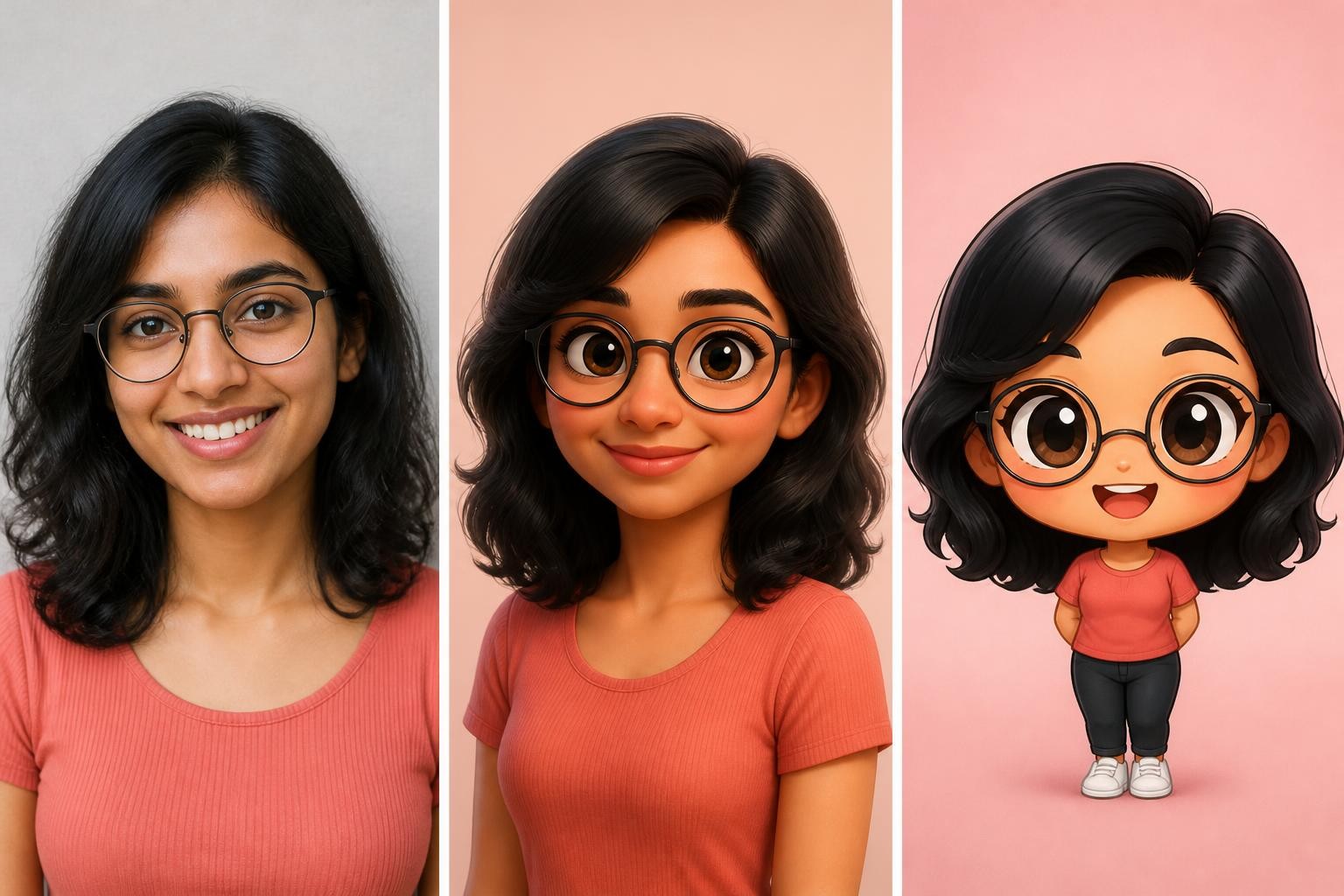
A prompt seen cartoon edit trades some likeness for style. The stronger the style, the less the face resembles yours, so name two or three anchors the model must keep: hairstyle, glasses, a beard, or a distinctive smile. Describing the look in plain terms, such as rounded features and soft studio light, also gives more control than naming a studio and avoids implying an official character.
5. 3D animated portrait
Start with a front-facing head-and-shoulders photo in even light.
Turn the attached portrait into a 3D animated character while keeping the person recognizable: same face shape, hairstyle, skin tone, and smile. Use slightly larger eyes, rounded features, and soft studio lighting with a gentle rim light. Keep the clothing colors from the photo. Plain pastel background, head-and-shoulders framing, square 1:1. Do not copy any existing character. No text, logo, or watermark.
Try changing: If the face drifts, ask for smaller eyes and less exaggeration. Mild styling usually keeps more likeness than a full character redesign.
6. Storybook couple illustration
This prompt seen cartoon style suits anniversary cards and story covers. Use a photo where you both face the camera.
Redraw the two people in the attached photo as a soft storybook illustration in watercolor and colored pencil. Keep their hairstyles, skin tones, clothing colors, and who stands on which side. Show them walking together through a village lane lit by lanterns at dusk, seen from a gentle three-quarter angle. Light paper texture, muted warm palette, horizontal 3:2. No words, signatures, or borders.
Try changing: Swap the lane for a seaside path or a rainy café window. Keeping the same palette helps a set of illustrations look consistent.
7. Chibi profile avatar
Made for small profile pictures, where a clear silhouette matters more than fine detail.
Create a cute chibi avatar of the person in the attached photo: big head, small body, simple expressive eyes. Keep their hairstyle, hair color, skin tone, and glasses if they wear them. Show a cheerful wave with one hand and the same top color as in the photo. Plain pastel circle behind the head, flat soft shading, centered square 1:1 composition. No text, logos, or watermark.
Try changing: Ask for a thicker outline if the avatar looks blurry at small sizes. Drop the circle if you plan to cut the character out.
Prompt seen ChatGPT edits for everyday photos
Any prompt in this list works as a prompt seen ChatGPT edit. Attach the photo in the same message as the prompt, request one image first, and state the shape you need: 9:16 for Stories and Reels, 4:5 for feed posts, and 1:1 for profile pictures. Keep follow-up requests in the same chat so the model can refer back to your original upload. The next three prompts are written for single portraits.
8. Golden-hour cinematic portrait
This turns a plain daytime selfie into a warm outdoor portrait.
Keep my face, skin tone, hairstyle, and expression from the attached selfie. Restage it as a cinematic portrait at golden hour in an open field, framed from the chest up. Low sun behind me creates a soft glow in my hair, with gentle fill light on my face. Shallow depth of field and natural skin texture without heavy smoothing. Vertical 4:5. No text, logos, lens flare across the eyes, or watermark.
Try changing: Replace the field with a quiet beach or an old city wall. Keep the fill light so the backlight does not darken your features.
9. Festive evening portrait
Useful for festival greetings or wedding-season posts.
Keep my face, skin tone, and hairstyle from the attached photo. Dress me in a deep green festive outfit with subtle gold embroidery and place me on a balcony at night decorated with marigold garlands and small oil lamps. Warm lamplight from below and soft bokeh lights behind me. Waist-up, slight three-quarter angle, vertical 9:16. Natural expression and realistic hands. No text, greeting words, or logos.
Try changing: Specify the garment and color, such as a maroon kurta or a peach saree. Add greeting text afterward in a design app, because AI-rendered words can come out misspelled.
10. Black-and-white studio portrait
A timeless prompt seen ChatGPT option that hides messy backgrounds and mixed lighting.
Keep my face, hairstyle, and any facial hair or makeup from the attached photo exactly as they are. Recreate it as a black-and-white studio portrait against a plain dark gray backdrop. One soft key light from the left, a subtle shadow on the right cheek, and fine film grain. Head-and-shoulders framing with sharp eyes. Square 1:1. No added jewelry, heavy retouching, text, or watermark.
Try changing: Ask for high contrast for a dramatic look, or a lighter gray backdrop for a softer professional headshot.
Fix the result with one short follow-up
Treat the first image as a draft. Name the visible problem and the part to keep:
- The face changed: "Use the original photo as the face reference again. Restore the jaw shape, eye spacing, and smile. Keep the scene."
- Skin looks plastic: "Keep everything else, but restore natural skin texture and reduce smoothing."
- Hands look wrong: "Fix the hands so each has five natural fingers. Do not change the faces or clothing."
- Random letters appear: "Remove all text from signs, books, and clothing. Keep the layout."
- The crop cuts heads: "Regenerate in vertical 9:16 with full heads visible and space above them."
If a fix makes something else worse, go back to the version you preferred and try a different single change.
Privacy, consent, and labeling
Upload only photos you have the right to edit, and check the tool's data and privacy settings before sharing personal images. Keep romantic and couple edits to adults. When an AI image could pass for a real moment, say so in your caption. Gemini embeds an invisible SynthID watermark in images it creates or edits, but people scrolling past cannot see it.
Quick answers
Do these prompts work in Gemini?
Yes. They are plain-language instructions, so the same text works outside a prompt seen ChatGPT chat: paste it into Gemini or any editor that accepts photo uploads. Expect differences in likeness and color between tools; compare them using the same photo and the same wording.
Why doesn't the result look like me?
The usual causes are a missing identity line, a small or shadowed face in the upload, or a style that is too strong. Use a sharper, front-lit photo, move the identity line to the start, and ask for milder styling.
Try a prompt seen look on your own photo
To test a prompt seen style in Img2Img AI, select Image to Image, upload your photo, paste one prompt from this list, and set the aspect ratio before generating. It accepts up to four reference images, so two separate selfies can go in together. Check the face first, then refine the scene.
