
What Is TripoSplat? Features, Limits, and When Pixal3D AI Is the Better Alternative
TripoSplat is an image-to-3D generation model that turns a single 2D image into a 3D Gaussian splat asset. The practical idea is simple: instead of asking you to photograph an object from many angles or model it by hand, TripoSplat predicts a cloud of colored 3D Gaussian primitives that can be rendered from new viewpoints.
The important nuance is that TripoSplat is not mainly a traditional mesh generator. It is a splat-first workflow. That makes it interesting for fast previews, stylized objects, AR/VR experiments, game props, simulation drafts, and viewable 3D assets where real-time rendering matters. It also means that if your end goal is a downloadable, editable GLB mesh, a mesh-first tool such as Pixal3D AI may be a more direct fit.
In plain terms: use TripoSplat when you want a controllable 3D Gaussian representation from one image. Use Pixal3D AI when you want to upload an image and get a practical GLB model for inspection, prototyping, or further cleanup.
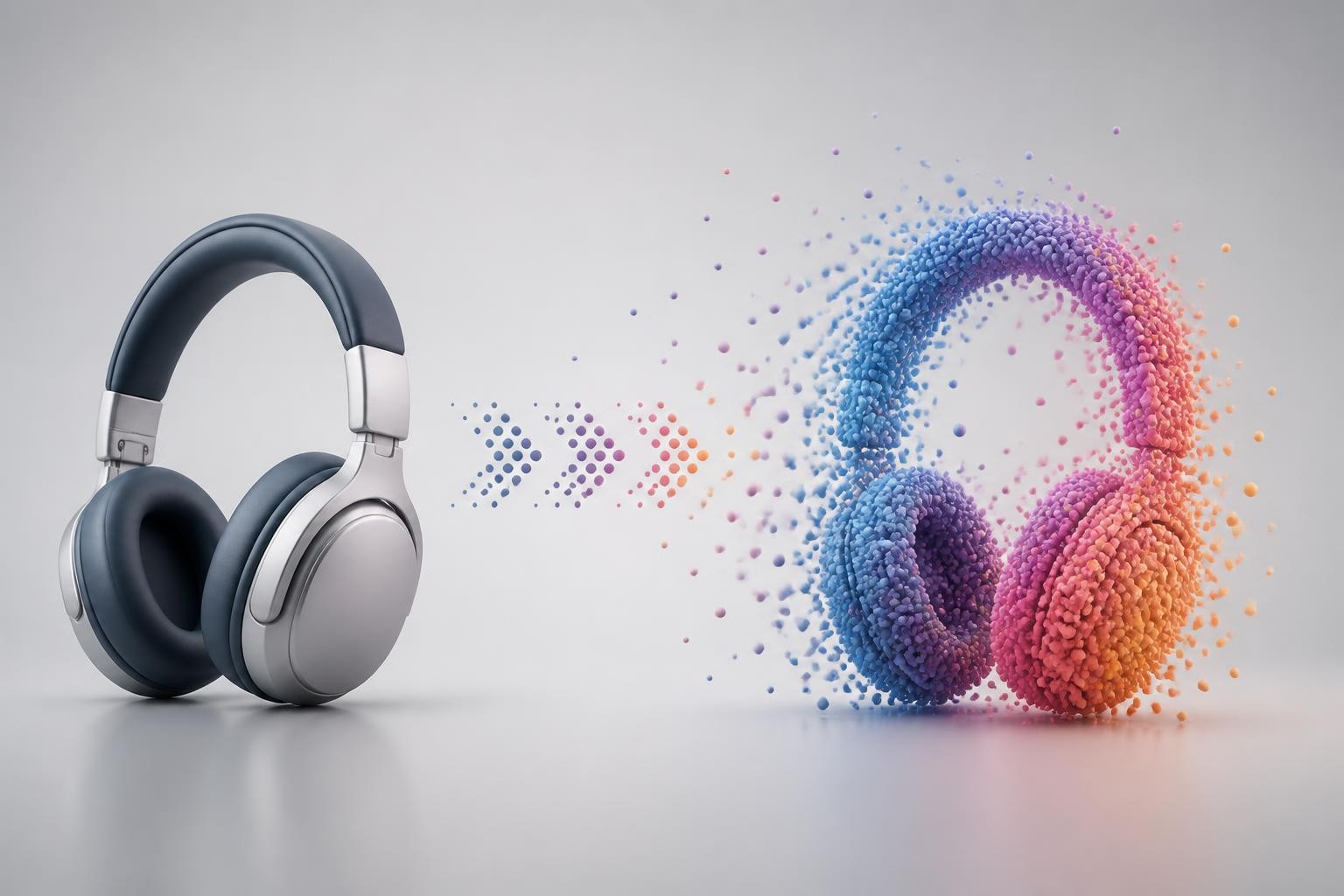
What TripoSplat Actually Generates
TripoSplat generates 3D Gaussians. Each Gaussian can be thought of as a soft 3D primitive with position, size, orientation, opacity, and color information. When many of them are rendered together, they form a 3D-looking object or scene that can be viewed from different angles.
That is different from a polygon mesh. A mesh is made of vertices, edges, faces, UVs, and textures. It is the familiar format used across Blender, game engines, 3D printing pipelines, and many product visualization workflows. A Gaussian splat can look highly detailed when rendered, but it does not automatically behave like a clean mesh that you can rig, retopologize, unwrap, or edit face by face.
This distinction explains many search questions around "tripo splat to 3d mesh." People are often not just asking whether TripoSplat can make something 3D. They are asking whether the result can move into a standard production pipeline. The answer is: sometimes, with conversion, but the conversion step is not the same as generating a clean mesh from the beginning.
The Core TripoSplat Idea: Learned Density Control
The most useful way to understand TripoSplat is to focus on density. In a Gaussian splat, some parts of an object need more detail than others. A face, ornament, edge, logo-like mark, hand, wheel, or sharp silhouette needs more representational budget. A flat surface or simple background area needs less.
Classic 3D Gaussian Splatting workflows rely on optimization procedures that add, split, prune, and refine Gaussians as they fit a scene. TripoSplat brings that adaptive idea into a generative single-image workflow. Instead of using a fixed number of equally important points everywhere, it learns where the Gaussians should be concentrated.
That matters for creators because a fixed representation wastes detail in easy areas and under-serves hard areas. Learned density control gives TripoSplat a more production-relevant trade-off: use fewer Gaussians for simpler background assets, raise the budget for hero objects, and create different detail levels for different uses.
Key Features of TripoSplat
Single-image 3D Gaussian generation
The headline feature is one-image input. You provide a 2D reference, and TripoSplat predicts a 3D Gaussian representation. This is useful when you do not have a full multi-view photo set and want to move quickly from concept image to viewable 3D asset.
Single-image generation is still an inference problem. The hidden side, back view, thickness, and occluded structure must be guessed. A clean image with a centered subject, visible silhouette, simple background, and limited occlusion gives the model a better chance. A cropped, shiny, transparent, cluttered, or heavily hidden object is more likely to produce an uncertain 3D result.
Controllable Gaussian budget
TripoSplat's most practical feature is budget control. You can think of the number of Gaussians as a quality and performance dial. More Gaussians can preserve more detail, but they can also increase storage, rendering cost, and downstream handling complexity. Fewer Gaussians can be lighter and faster, but may soften fine structure.
This is especially useful for teams building 3D content for different contexts. A background prop in a game scene does not need the same detail as a close-up product hero. A quick concept review does not need the same budget as a client-facing turntable preview. TripoSplat gives users a way to create versions that fit the job instead of forcing one fixed output.
Open-source access
Searchers often ask about "triposplat free" because the release is open source. The useful interpretation is this: TripoSplat can be inspected, run, and integrated by technical users under its open-source release terms, but hosted generation, cloud workflows, GPUs, storage, and integrated tools may still cost money.
So "free" should not be read as "zero-cost for every workflow." If you run it locally, you still need compatible hardware and setup time. If you use it through a cloud interface, you may pay through credits, subscription limits, or compute usage. The open release lowers the barrier for developers and researchers, but it does not remove every operational cost.
Native workflow support in ComfyUI-style pipelines
TripoSplat fits naturally into node-based creative workflows. A typical flow loads an image, preprocesses it, runs the TripoSplat generation step, renders a preview, and then exports a useful file format. That kind of pipeline is attractive because image generation, background removal, camera orbit preview, splat export, mesh conversion, and video preview can sit in one graph.
For creators already using node workflows, this makes TripoSplat less like a standalone demo and more like a component in a broader asset pipeline.
Multiple output paths
A TripoSplat workflow can produce different practical outputs depending on the tool wrapper around it. You may want a rendered 2D preview, a compressed splat file, an orbit video, a GLB export, or a mesh conversion. This flexibility is valuable, but it also creates a decision point: choose the output based on where the asset goes next, not just on what sounds most complete.
If the next step is visual review, a splat render or orbit video may be enough. If the next step is Blender editing or a web-based 3D viewer, GLB may matter more. If the next step is retopology, rigging, collision, or 3D printing, you should expect additional cleanup.
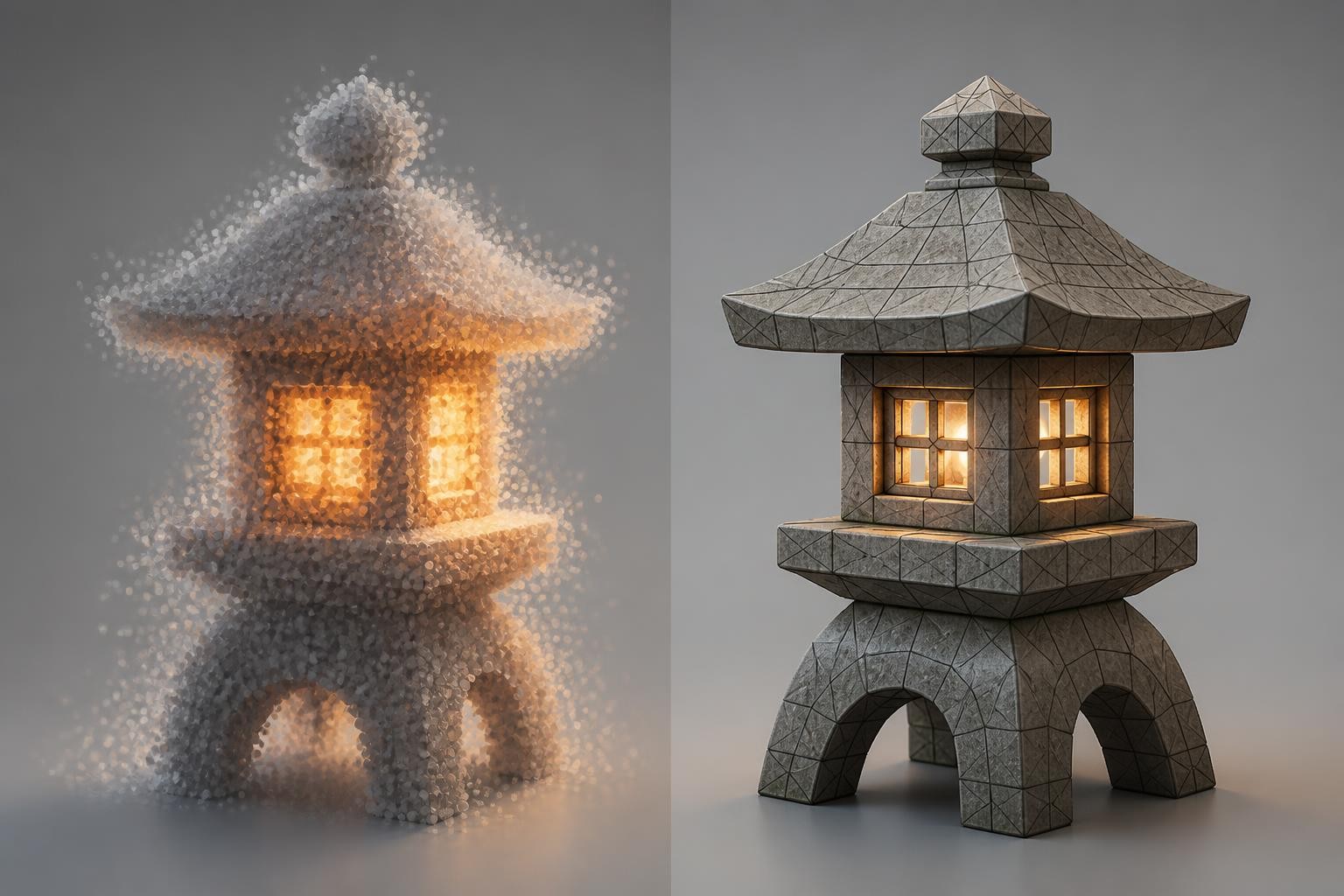
TripoSplat vs Traditional Image to 3D Mesh Tools
TripoSplat solves a different problem from many image-to-3D tools. A mesh generator tries to give you a geometry asset that fits common 3D software expectations. A Gaussian splat generator tries to give you a renderable 3D representation that can preserve visual detail efficiently.
The difference shows up in real work:
| Need | Better starting point | Why |
|---|---|---|
| Fast viewable 3D from one image | TripoSplat | Splat rendering can preserve a visually rich result quickly |
| Downloadable GLB model | Pixal3D AI | Mesh-first output is easier for standard 3D workflows |
| Level-of-detail experiments | TripoSplat | Gaussian count can be treated as a budget dial |
| Blender editing | Pixal3D AI | A mesh is easier to inspect, clean, and edit |
| Stylized object previews | TripoSplat | Gaussian assets can look strong for visual review |
| Rigging, animation, or game collision | Mesh-first workflow | Splats usually need conversion and cleanup first |
The point is not that one approach is universally better. The point is that "3D" can mean very different deliverables. A splat, a mesh, a textured GLB, a video turntable, and a render preview are all useful, but they serve different stages of production.
Can You Convert TripoSplat to a 3D Mesh?
Yes, some workflows provide a TripoSplat to 3D mesh path. But it is better to treat this as conversion, not magic cleanup.
A Gaussian splat is optimized for visual rendering. A mesh is optimized for geometric editing, compatibility, and downstream manipulation. When you convert a splat to a mesh, the converter has to infer surfaces from soft primitives. That can work well enough for previews or rough assets, but it may create uneven topology, noisy surfaces, holes, disconnected fragments, or simplified thin details.
Use a tripo splat to 3d mesh workflow when:
- You need a rough mesh base rather than a final production mesh.
- The asset is simple, solid, and clearly visible in the input image.
- You can inspect and clean the mesh afterward.
- You care more about speed than perfect topology.
- The output is for concept review, not final manufacturing or precise simulation.
Avoid relying on conversion when:
- The object has thin structures, transparent materials, or many occluded parts.
- You need animation-ready topology.
- You need accurate dimensions.
- You need clean UVs and production-grade textures.
- The asset must be 3D printed without manual repair.
This is where Pixal3D AI enters the conversation.
Why Pixal3D AI Is a Strong TripoSplat Alternative
Pixal3D AI is better framed as an alternative for people whose real goal is image to 3D mesh, not necessarily image to Gaussian splat. It is designed around pixel-aligned 3D generation, using the source image as the visual anchor and producing a 3D model that can be downloaded as GLB.
That matters because many creators do not want to manage splat files, density budgets, or conversion steps. They want to upload a product image, character concept, prop sketch, or object reference and get something they can rotate, preview, download, and refine.
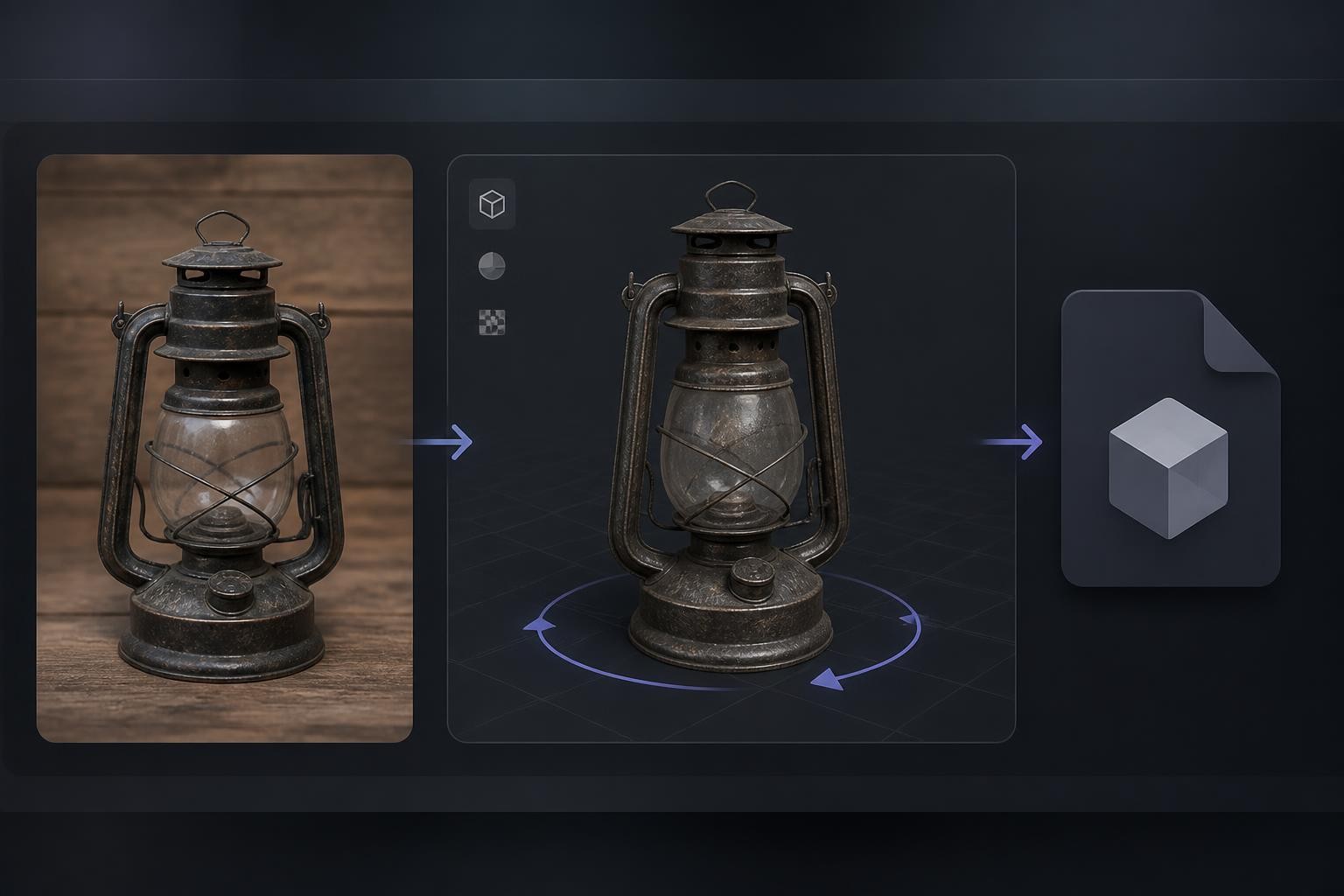
On Img2Img AI, Pixal3D AI is positioned for a straightforward browser workflow: upload one image, generate a textured 3D asset, preview it, and download the GLB. That is a simpler path for general users who want an inspectable model without setting up local dependencies or GPU tooling.
Choose Pixal3D AI when the deliverable is a GLB
If your downstream workflow expects a GLB file, start with Pixal3D AI. This includes product mockups, prop ideation, 3D viewer previews, pitch assets, and early game object drafts. You may still need cleanup before production, but the output format is aligned with how many creators actually move 3D files around.
Choose Pixal3D AI when fidelity to the source image matters
Pixal3D AI's pixel-aligned approach is designed to keep the generated model closer to the visible input image. That does not mean it can know invisible geometry perfectly. It still has to infer what the image does not show. But if the job is "make a 3D draft that stays visually tied to this reference," Pixal3D AI is often a more natural match than a splat-first tool.
Choose Pixal3D AI when the user is non-technical
TripoSplat is exciting for technical creators, ComfyUI users, and teams comfortable with 3D pipelines. Pixal3D AI is easier to explain to a marketer, designer, founder, or content creator: upload image, generate model, download GLB. Less setup means faster feedback.
When TripoSplat Is Still the Better Choice
TripoSplat remains compelling when the splat representation itself is part of the value.
Choose TripoSplat if you want:
- A 3D Gaussian asset rather than a standard mesh.
- A controllable Gaussian budget for performance experiments.
- Stylized object previews from a single image.
- A node-based workflow that can branch into preview, SPZ export, mesh conversion, or video.
- Open-source model access for local research, custom tooling, or integration.
- A fast way to evaluate whether a 2D concept has useful 3D potential.
It is also a strong learning tool. If you are exploring how Gaussian splatting changes asset creation, TripoSplat gives you a practical way to see the trade-offs between visual detail, particle count, rendering cost, and mesh conversion.
How to Decide: Splat-First or Mesh-First?
Use this simple decision framework before choosing a tool.
1. Name the final asset
Do you need a splat, a mesh, a GLB, a render, a video, or just a concept preview? If you cannot name the deliverable, you will probably choose the wrong workflow.
2. Name the next editor
If the next editor is a splat viewer or node pipeline, TripoSplat makes sense. If the next editor is Blender, a GLB viewer, a game engine, or a product mockup tool, Pixal3D AI may be the cleaner starting point.
3. Decide how much cleanup is acceptable
Every single-image 3D tool guesses hidden structure. The question is not whether cleanup may be needed. The question is where you want that cleanup to happen. With TripoSplat, the cleanup may involve conversion and mesh repair. With Pixal3D AI, the cleanup is more likely to start from an already downloadable mesh.
4. Match the image to the model
Both workflows benefit from clear inputs. Use centered subjects, simple backgrounds, strong silhouettes, visible edges, and minimal occlusion. Avoid cropped objects, overlapping props, reflective glass, transparent plastic, and confusing shadows when possible.
5. Separate exploration from production
For exploration, speed and visual plausibility are enough. For production, topology, dimensions, UVs, material structure, and licensing matter. Do not promote a quick AI-generated asset to final production without inspection.
Input Tips for Better Results
Good input images matter more than clever prompting. For TripoSplat and Pixal3D AI, use this checklist:
- Show the full object, not a cropped part.
- Keep the background simple.
- Avoid heavy motion blur or compression.
- Prefer three-quarter views over flat front views when object depth matters.
- Use strong lighting that reveals shape without harsh shadows.
- Avoid hands, cables, glass, fur, smoke, and tiny detached pieces when possible.
- Remove text-heavy surfaces if the text does not need to be preserved.
- Run several image variations and compare the geometry, not only the first render.
If you are trying TripoSplat, test multiple Gaussian budgets. A lower count can reveal whether the broad shape is stable. A higher count can show whether the fine details are worth preserving. If you are trying Pixal3D AI, compare the GLB from several reference images and keep the one with the best shape, not just the prettiest texture.
Common Mistakes to Avoid
Mistake 1: Treating a splat like a finished mesh
A splat can look convincing from a rendered angle and still be awkward as geometry. If your workflow needs editing, animation, collision, or printing, inspect the mesh output carefully before committing.
Mistake 2: Assuming triposplat free means no cost anywhere
Open-source availability is not the same as free hosted compute. Local runs require hardware and setup. Cloud runs may require credits. Budget for the workflow, not just the model license.
Mistake 3: Using one image and trusting every hidden surface
Single-image 3D generation must infer what it cannot see. If the back side matters, provide a better reference workflow, generate multiple candidates, or use a tool that supports more direct review and refinement.
Mistake 4: Choosing by novelty instead of deliverable
TripoSplat is interesting because 3D Gaussian generation is powerful. Pixal3D AI is useful because a GLB model is often what creators actually need. The best choice depends on the next step, not on which technology sounds newer.
FAQ
Is TripoSplat the same as tripo splat?
Yes. "tripo splat" is a common spacing variant people use when searching. The product and model name is usually written as TripoSplat.
Is TripoSplat free?
TripoSplat has open-source model access, so "triposplat free" usually refers to the ability to access and run the release under its license. Real usage can still involve GPU costs, cloud credits, storage, or hosted tool pricing.
Does TripoSplat create a mesh?
TripoSplat primarily creates a 3D Gaussian splat. Some workflows can convert or export toward mesh formats, but conversion may need cleanup. If you need a GLB mesh directly, Pixal3D AI is often the simpler starting point.
Is Pixal3D AI better than TripoSplat?
It depends on the deliverable. Pixal3D AI is better when you want a browser-based image-to-GLB workflow. TripoSplat is better when you specifically want 3D Gaussian splats, controllable density, or open-source splat-generation experiments.
What image works best for image to 3D?
A clear object image with a complete silhouette, simple background, visible edges, and limited occlusion is usually best. Avoid cropped references, transparent materials, and cluttered scenes when you want reliable geometry.
Try a Mesh-First Alternative
If your interest in TripoSplat is really about turning one image into a downloadable 3D model, try Pixal3D AI as the next step. Upload a clear reference image, generate a GLB asset, rotate the preview, and decide whether it is ready for cleanup, prototyping, or a faster concept review.
