
Flux 3: what it is, key features, and the best Krea2 Turbo alternative
Flux 3 is Black Forest Labs' third-generation image model family, launched on May 27, 2026, and it is widely considered the current top all-around option for AI image generation and editing. Most people searching for it want two answers: what does the model actually do better than everything before it, and what is the practical way to use it for real work. The short version: this release leads in photorealism, text rendering, and editing precision, and it ships in open-weight variants under Apache 2.0 as well as a flagship hosted tier. But if your work starts from an existing photo rather than a written prompt, a Krea2 Turbo alternative built around image-to-image, such as Img2Img AI, will get you to a finished result faster. This guide explains what the model is, what makes it different, how it compares, and where each tool fits.

What is Flux 3?
Flux 3 is the third major model family from Black Forest Labs, the company behind the Flux line of image models. It is the first generation in the line built as a unified system: the same backbone handles text-to-image generation, image editing, and style transfer in a single pass, instead of relying on separate pipelines for each task. Generation quality, editing quality, and prompt adherence all improve over the previous generation, especially on dense prompts, dense scenes, and dense edits.
Three capabilities define the release. First, zero-shot style transfer: upload a reference image, and the model captures its style and applies it to new content, while multiple style references can be blended in one pass. Second, character and brand consistency: characters, brand assets, and design systems hold across generations without any fine-tuning or model training. Third, generation up to 4 megapixels, which is print-ready resolution for most design work.
The family ships in two tiers. The Flux 3 Pro API is the hosted flagship, rated as the strongest all-around model for quality and prompt adherence, and it is the recommended choice for product photography, UI mockups, graphic design, and architectural visualization. The open-weight Flux 3 Klein variants, released in 4B and 9B sizes under an Apache 2.0 license, are the distilled efficiency versions designed to run on consumer hardware with fast inference. In short, flux3 covers the full range from local experimentation to production API work. Each tier has a natural audience: Pro suits teams that bill the output to clients, while Klein suits builders who want the weights on their own machines.
Flux 3 key features
1. Photorealism with real lighting and materials
This release tops the photorealism category in public arenas. Skin, hair, fur, and fabric hold up under close inspection, without the plastic-looking skin or the over-smoothed finish that often gives AI images away. Lighting is the deeper strength: the model handles complex scenes with multiple light sources, accurate reflections and refractions, and convincing materials such as glass, metal, water, and smoke. Film emulation, depth of field, and natural lighting behavior all render without the uncanny quality that older models produce in difficult scenes.
2. Text and typography that actually work
Text rendering has long been the weak point of image models, and this generation leads that category too. Legible, stylistically coherent typography works across sizes and fonts: full quotes and paragraphs in stylized lettering, readable text at small sizes, and small caps text that mimics the surrounding typography. For design, advertising, and social content, this changes what the model is useful for, because posters, thumbnails, and branded graphics no longer require a separate typography pass.
3. Editing, consistency, and spatial precision
On editing, the model preserves everything outside the change: fine textures, film grain, lighting, and background all stay intact, which makes multi-turn workflows practical without degradation. It handles multiple consistent changes in one pass, moves objects with correct lighting, shadow, and scale, and maintains spatial relationships under camera and perspective shifts. One detail worth knowing: for full-scene transformations, its editing mode tends to outperform its pure generation mode, so feeding an image in often beats starting from scratch.
4. Scalable from consumer GPUs to API production
The Klein 4B variant runs on roughly 12 GB of VRAM, which covers a wide range of consumer GPUs. A design choice that few competitors make: the Apache 2.0 license extends to outputs, so teams may legally generate images with the open weights and use them to distill or fine-tune their own models. That makes the open tier a practical foundation for custom pipelines, not just a demo.

Flux 3 vs the competition
Flux 3 vs Imagen 4
Imagen 4, Google's image model, trails the Flux flagship across most quality categories, with photorealism and text rendering being the closest. Where Imagen 4 pulls ahead is maximum resolution, up to 8 megapixels, and speed, at roughly three seconds per image compared to eight to twelve seconds for the Flux 3 Pro API. If raw throughput at very high resolution is the priority, Imagen 4 is the pick; for overall quality, the Flux family wins.
Flux 3 vs GPT Image 2
GPT Image 2 leads in world knowledge and in-product asset referencing, and its prose comprehension is strong when prompts arrive as paragraphs rather than structured descriptions. But its text rendering still glitches on complex typography, and both photorealism and editing quality sit a tier below. If your work lives inside a chat interface, GPT Image 2 is convenient; for production design output, Black Forest Labs has the stronger offering.
Across these matchups, the pattern is consistent: rivals usually win on one axis, whether speed, resolution ceiling, or ecosystem convenience, while the Flux line stays the balanced choice when several quality axes matter at once.
Flux 3 video: what about motion?
There is no dedicated Flux 3 video model today. Motion workflows still run through separate video models, and a common pattern is to generate strong keyframes or style references here, then hand those frames to a video model for motion. If someone promises a native flux 3 video generator, treat the claim with skepticism and check whether it is simply a frame-then-animate pipeline wearing a new label.
Where Flux 3 fits, and where it does not
The model fits concept work, marketing visuals, design mockups, character sheets, and any brief that starts from words. Its generation-then-editing loop rewards iteration: draft, critique, refine in place, and keep everything else intact.
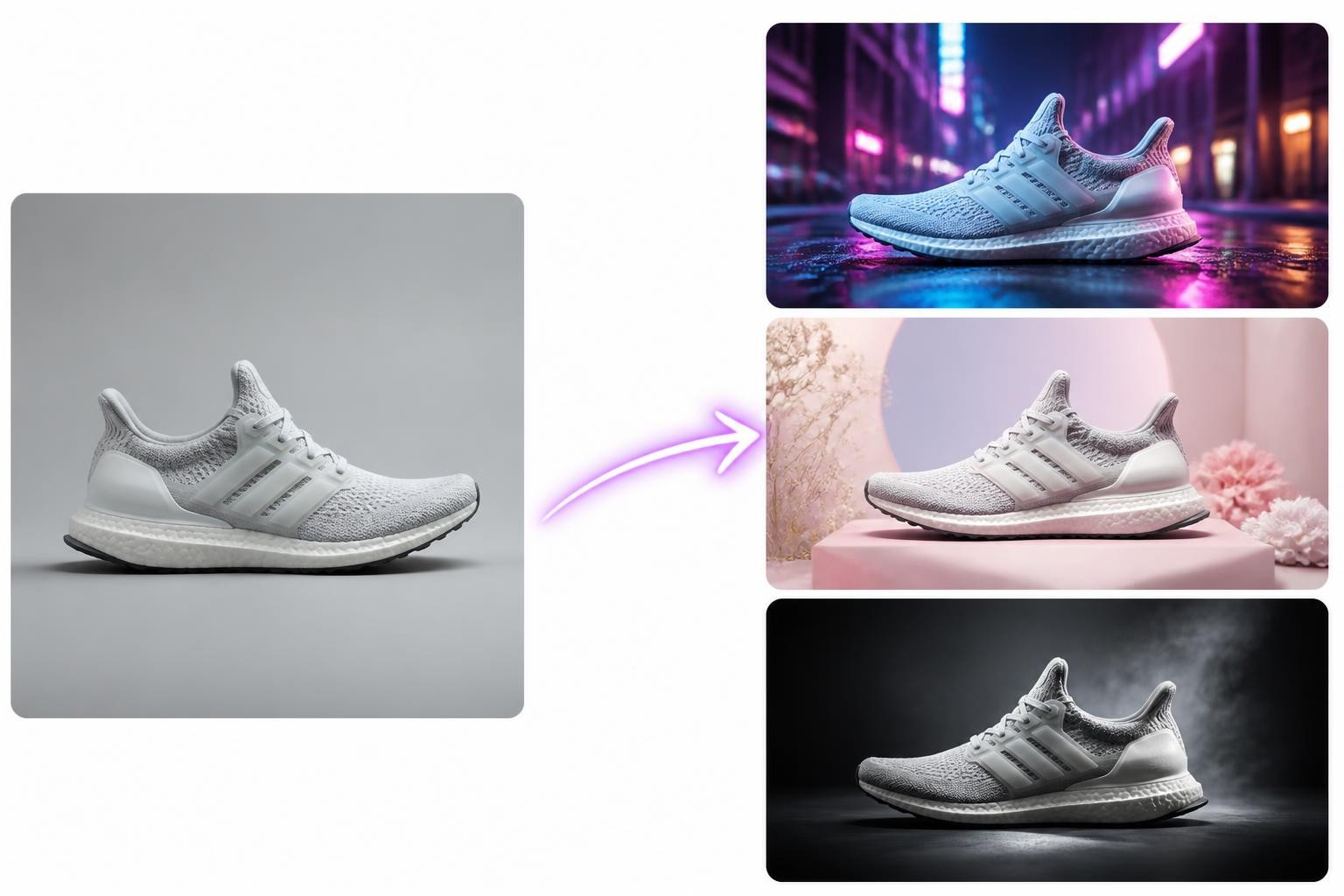
The gap appears when the starting point is a real image rather than a description. Restyling a product photo you already shot, turning a rough sketch into a polished render, producing five seasonal variants of an existing shot: these are image-to-image jobs, and blank-canvas tools solve them awkwardly. It takes careful prompting to approximate what an image-first tool does directly, and the source photo's exact composition is easy to lose along the way.
Who should skip the flagship tier entirely? If you only need quick concept sketches, the free Klein weights or any fast distilled model already covers the job. If your workload is mostly enhancing photos you already have, jumping straight to an image-to-image platform saves the prompt-engineering detour.
Krea2 Turbo sits in the same blank-canvas camp, at the speed-optimized end: an open-weight distilled text-to-image model that produces near-final-quality images in seconds, excellent for rapid concept iteration. Many teams ended up using it as their fast sketchpad. But like every text-first model, it starts from words, so teams whose work starts from photos need a krea2 turbo alternative for the production step. That is where Img2Img AI comes in.
Img2Img AI: a practical Krea2 Turbo alternative
Img2Img AI is an image-to-image platform: upload a photo or sketch, describe the direction, and get finished variations back. Its flow is deliberately simple: pick a mode, upload up to four reference images, choose a model, write a short prompt, generate. New accounts get free credits, which makes trying it a low-friction decision.
Two things make it a genuine krea2 turbo alternative rather than a different tool for the same job. First, it treats the uploaded image as the blueprint: composition, lighting, and structure carry over while the style, details, or scene change around them, so variations stay consistent instead of drifting. Second, it bundles more than ten strong models, including Flux and Seedream variants, in one workspace, so you can test the same brief across models without juggling accounts or APIs.
The use cases mirror what text-first users hit next: restyling product photography for campaigns, turning sketches into finished renders, generating ad creative variations from one approved shot, and upscaling or enhancing existing assets. The fit question is simple. If your brief is "create ten visual directions for this campaign idea," a text-first model like Flux 3 is the right start. If your brief is "make these product photos look premium," an image-first workflow wins. Many teams use both: flux ai generation for ideation, image-to-image for production.
FAQ
Is Flux 3 free or paid?
The Klein 4B and 9B weights are free under Apache 2.0, published on Hugging Face, and run locally on consumer GPUs. The Pro API is paid, billed per output pixel: one million output pixels costs about one cent, so a 1K image lands near a cent and a 4K image near four cents.
What is the difference between Flux 3 Klein and Flux 3 Pro?
Klein is the distilled open-weight tier, in 4B and 9B sizes, built for speed and local inference. Pro is the hosted flagship API with the highest quality and prompt adherence. Choose Klein for pipelines you own; choose Pro when output quality decides the job.
Can Flux 3 edit an existing photo?
Yes, editing is a core strength, and untouched areas survive with high fidelity. The catch is that everything still runs through a prompt-driven interface. For repeated photo-first work with reference uploads and model choice, a dedicated image-to-image platform is more direct.
Is Flux 3 good for commercial work?
Yes. The Pro API targets production design and marketing output, and the Klein weights ship under Apache 2.0, which permits commercial use and even output-based distillation. As with any model, review the current license terms before a large campaign.
How does Flux 3 compare to Midjourney for design work?
The Flux flagship leads on text rendering, editing precision, and prompt adherence, which matter most in production design. Midjourney keeps a distinctive aesthetic that many artists prefer for concept art. For mockups, ads, and brand-consistent output, the safer pick is the model with stronger typography and editing controls.
Final thoughts
Flux 3 sets the 2026 baseline: photorealism, typography, and editing precision in one family, with open Klein weights for local work and a Pro API for production. Pair it with an image-first tool for the half of creative work that starts from real photos, and the pipeline covers both directions.
If your next task starts from a photo you already have, try Img2Img AI, the Flux 3 companion for image-to-image work. Upload an image, choose a direction, and get finished variations in minutes.
