
happy birthday prompt: copyable examples are useful, but the structure matters more
A good happy birthday prompt does three things at once: it tells the AI who the birthday content is for, what kind of birthday moment to create, and which details must not drift. The best examples from birthday prompt libraries are not just longer; they are more specific about identity, scene, light, props, camera framing, and final format.
The current reference pages show the same pattern from different angles. PromptPlum's birthday library leans into detailed Gemini-style photo prompts with strict identity preservation, studio lighting, props, and aspect ratios. SeaArt's birthday prompt guide groups prompts by use case: women, men, children, pets, friends, and family. Pippit's AI Happy Birthday Prompt page frames birthday prompts as a starting point for cards, videos, animations, and personal greetings rather than only portrait photos.
That gives us a useful rule: do not start with "make a birthday image." Start with the type of birthday deliverable. A greeting card, Instagram portrait, family montage, Gemini photo edit, short video, and keepsake poster need different prompts.
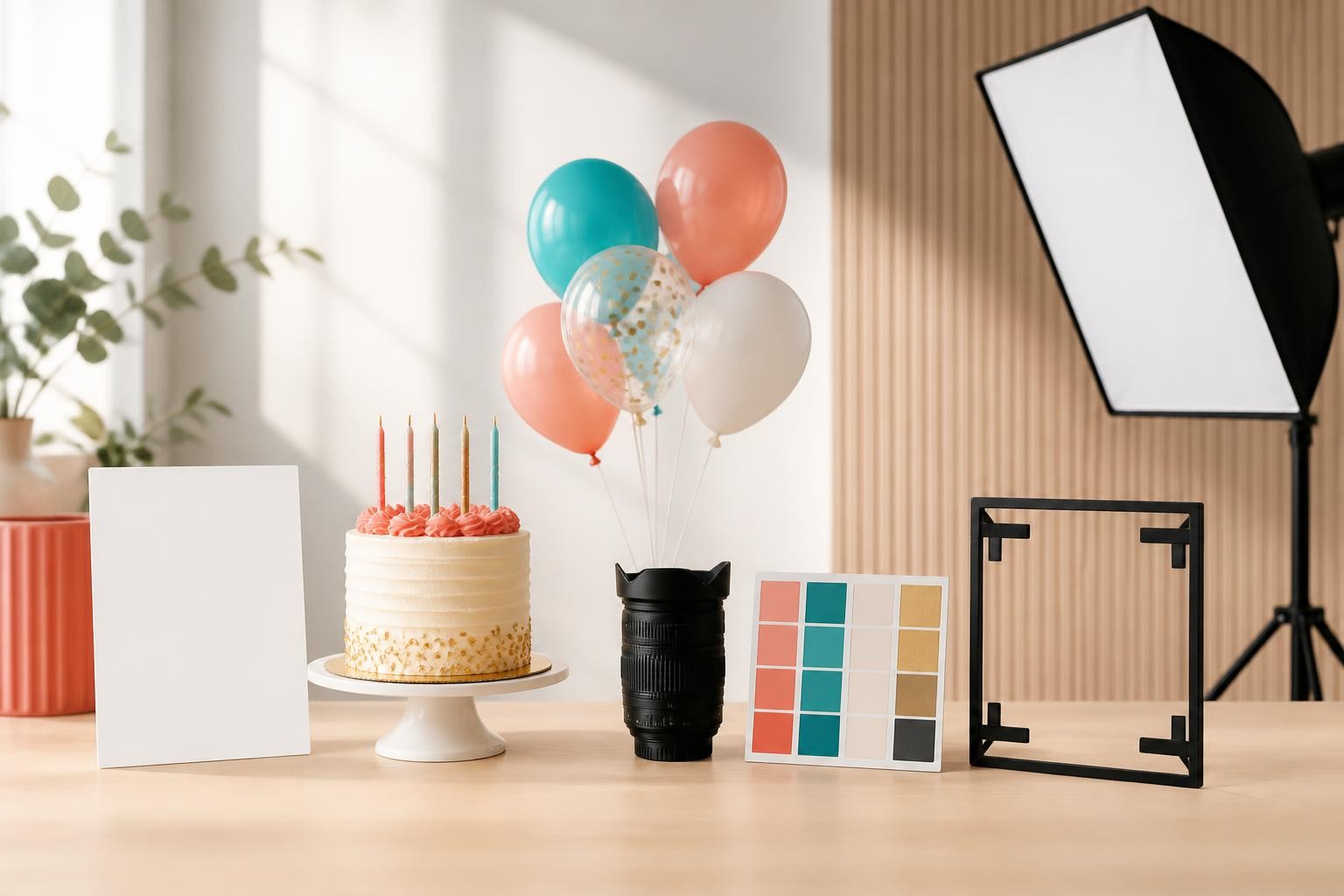
What the strongest AI birthday prompt examples have in common
Most ranking pages give copy-paste prompts. That is helpful when you need inspiration fast, but it can hide the real method. When you strip away the decoration, the useful examples usually contain eight parts.
1. Recipient and role
Name the recipient type before the style. "A young woman celebrating her 25th birthday," "a cheerful boy at an indoor party," "a family around a cake," and "a pet wearing a party hat" all produce different visual expectations.
For private use, you can include a name or age. For public posts, be careful with children's names, exact ages, school details, locations, or anything that makes the person easy to identify. A birthday prompt for gemini boy can still feel personal without exposing too much.
2. Identity preservation
Photo-editing prompts need a preservation line. PromptPlum's Gemini examples repeatedly ask the model to keep the same face, age, skin tone, hair, and natural features. That is not filler. It protects the part viewers notice first.
Use this when editing an uploaded photo:
"Use the uploaded photo as the identity reference. Preserve the person's face, skin tone, hairstyle, expression, age appearance, body proportions, and outfit shape. Change only the birthday scene, lighting, decorations, and background."
For a greeting card or concept image without a real person, skip identity matching and describe a generic subject instead.
3. Birthday evidence
The model needs visible birthday signals. Cake, candles, balloons, wrapped gifts, confetti, flowers, party hats, fairy lights, and a decorated table are the usual building blocks. The mistake is adding all of them at once.
Pick three anchor details:
- One main object: cake, bouquet, toy prop, or framed photo
- One environmental cue: balloons, lights, table setup, or outdoor picnic
- One emotional cue: joyful smile, quiet candle moment, playful surprise, or elegant pose
This keeps the image from becoming a cluttered party catalog.
4. Scene and mood
SeaArt's examples move between luxury restaurant scenes, bright children's studio portraits, family candlelight, outdoor picnics, and pet birthdays. The scene determines the lighting, color, clothing, and crop. "Birthday photo" is too broad; "warm family birthday by candlelight" gives the model a much clearer target.
Useful mood words for an ai birthday prompt:
- Warm and candid
- Bright and playful
- Editorial and polished
- Soft pastel and dreamy
- Cinematic and dramatic
- Minimal studio portrait
Use one mood, maybe two. Five moods in one prompt usually fight each other.
5. Composition and camera
Google's Gemini prompting guidance recommends naming the subject, composition, action, location, style, and editing instructions for better image control. OpenAI's image guidance makes a similar point: clear details about purpose, subject, action, place, style, framing, lighting, and constraints are more reliable than vague aesthetic language.
For birthday prompts, composition is often the difference between "nice" and usable. Say whether the output should be a close-up portrait, half-body portrait, full-body studio shot, top-down cake table, three-panel collage, or vertical social post.
Examples:
- "Centered half-body portrait, cake in the foreground, balloons softly blurred behind"
- "Full-body studio portrait with the subject seated, decorations framing both sides"
- "Three-panel memory collage with one large portrait and two smaller candid detail frames"
- "Wide family table scene with candlelight as the main source"
6. Lighting and color
Birthday prompts work best when lighting is concrete. "Beautiful lighting" is weak. "Soft window light from the left," "high-key studio lighting," "warm candle glow," or "direct flash party photography" is stronger.
If your image keeps looking artificial, reduce the adjectives and add physical light behavior:
"Soft warm studio light from the front left, gentle shadows under the cake, natural skin texture, realistic reflections on balloons, shallow background blur."
7. Format and use
Specify the output format because the same idea needs different framing for different channels. PromptPlum often uses vertical ratios for portraits and collages; SeaArt reminds readers to choose size based on social, print, or digital use. If you want a phone story, use vertical. If you want a blog image, use landscape. If you want a profile photo, keep the face large and uncluttered.
8. Negative constraints
Birthday image models often struggle with text, candle numbers, extra decorations, and repeated faces in collages. OpenAI's guide notes that text in images needs very specific instructions; for many birthday visuals, it is cleaner to avoid generated text entirely and add real text later in a design tool.
Use constraints like:
"No readable text, no logos, no watermark, no misspelled banner, no distorted hands, no extra candles shaped like random numbers, no face changes, no over-smoothed skin."
A simple formula for writing a better ai birthday prompt
Use this order:
Recipient + source image rule + birthday scene + three props + mood + lighting + composition + format + constraints.
Template:
"Create a [format] birthday image for [recipient]. [If editing: use the uploaded photo as the identity reference and preserve face, age appearance, skin tone, hair, expression, body proportions, and outfit shape.] Place the subject in [scene] with [prop 1], [prop 2], and [prop 3]. The mood should feel [mood]. Use [lighting] and [camera/framing]. Make it suitable for [platform or use]. Avoid [common failures]."
This works because each phrase has a job. The recipient sets context. The preservation line prevents identity drift. The scene and props create birthday evidence. The mood and light control style. The composition makes the result usable. The constraints reduce the usual AI artifacts.
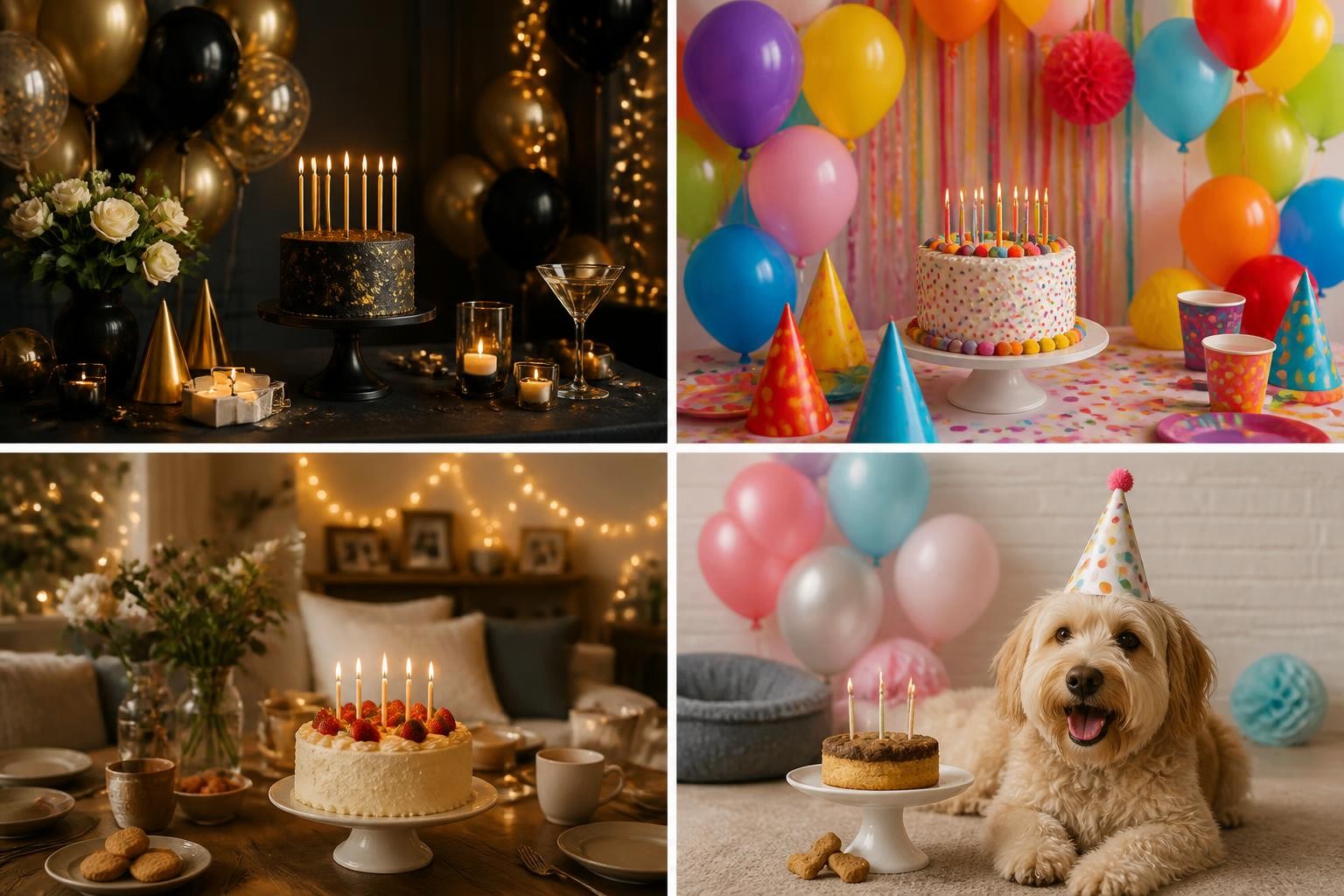
Copy-ready happy birthday prompt examples you can adapt
These are adapted examples, not copied from the reference pages. Use them as starting points and change the recipient, age, culture, outfit, location, and format.
AI birthday prompt for girl
"Create a realistic birthday portrait of a girl in a soft pastel party setting. If a reference photo is uploaded, preserve her exact face, age appearance, skin tone, hairstyle, expression, and body proportions. She is seated near a small decorated cake, surrounded by pink, white, and gold balloons, wrapped gifts, and scattered confetti. Use bright high-key studio lighting, a clean background, natural skin texture, and a joyful candid expression. Frame as a vertical half-body portrait for a social post. No readable text, no logo, no watermark, no extra fingers, no face beautification."
Why it works: it uses the "girl birthday" search intent, but avoids making the prompt depend only on pink styling. The important parts are reference preservation, scene anchors, light, framing, and negative constraints.
Birthday prompt for Gemini boy
"Use the uploaded photo as the only identity reference for a boy's birthday portrait. Preserve the boy's exact face, age appearance, skin tone, hairstyle, expression, and natural proportions. Create a cheerful indoor birthday scene with a colorful balloon arch, a small cake on a table, wrapped gifts, and soft confetti on the floor. The boy is seated naturally, smiling toward the camera, with relaxed hands and a comfortable posture. Use bright studio lighting, realistic shadows, saturated but clean colors, and a full-body vertical composition. No readable banner text, no watermark, no distorted hands, no duplicated face, no cartoon style."
Why it works: it borrows the discipline of Gemini prompt examples without forcing a model-specific trick. It also removes generated banner text, which is often where birthday images fail.
Elegant birthday portrait prompt for adults
"Edit the uploaded portrait into an elegant birthday dinner photo. Preserve the person's face, skin tone, hair, expression, body shape, and outfit identity. Place the subject at a softly lit restaurant table with a small cake, candle glow, rose petals, and blurred warm lights in the background. Use realistic direct flash mixed with ambient light, natural skin texture, a polished editorial look, and a half-body crop. Keep the result believable and not overly retouched. No readable neon sign, no brand logos, no extra jewelry, no face reshaping."
Why it works: it uses fewer props and lets lighting carry the expensive mood.
Family birthday photo prompt
"Create a warm family birthday photo around a cake at home. Use natural poses and real expressions, with family members gathered close together as the candles glow. Include a simple cake, a few balloons, and soft room lights in the background. Use warm candlelight on faces, gentle shadows, realistic skin texture, and a candid documentary photography style. Keep the composition wide enough to show the table and people clearly. No readable wall text, no fake banners, no extra people, no distorted hands."
Why it works: family prompts should feel lived-in, not staged like a luxury catalog.
Pet birthday prompt
"Create an adorable realistic pet birthday portrait of a dog sitting near a small pet-safe cake, wearing a simple party hat, with colorful balloons softly blurred behind. Use natural daylight, shallow depth of field, sharp fur detail, a happy expression, and a clean composition. Make it suitable for a square social post. No readable text, no human-like teeth, no distorted paws, no watermark, no messy background."
Why it works: the prompt names the animal-specific failure points instead of using human portrait language.
Birthday card background prompt
"Create a cheerful birthday card background with a decorated cake, balloons, wrapped gifts, confetti, and soft warm lights arranged around open space in the center. Use bright realistic paper and fabric textures, clean studio lighting, and a polished greeting-card composition. Leave the center visually calm for adding real text later in a design tool. No readable text, no letters, no numbers, no logo, no watermark."
Why it works: it separates image generation from typography. The AI creates the scene; you add the message afterward.
How to adapt prompts from reference pages without copying them
Reference pages are best used as pattern libraries. Look at what each example is trying to control, then rewrite it for your actual person and use case.
From long Gemini prompts: keep the control, reduce the clutter
PromptPlum-style examples often include exact face matching, clothing, props, background, light, camera, aspect ratio, and negative prompts. That level of detail is useful for photo edits, but you do not need every prop. Keep the identity rules and camera language. Replace the decorative list with three props that fit the recipient.
Better adaptation:
"Preserve the uploaded face and age appearance. Use a clean birthday studio setup with a cake, balloon cluster, and one floral accent. Bright softbox lighting, realistic shadows, vertical portrait crop, no generated text."
From SeaArt category prompts: choose the category first
SeaArt's guide is useful because it separates women, men, children, pets, friends, and family. Before writing the prompt, pick the category and decide what the image is for. A birthday prompt for a group selfie should mention wide-angle energy and motion. A prompt for a child should mention safe, age-appropriate styling and natural expression. A prompt for a pet should mention fur, paws, and simple props.
From Pippit-style templates: think beyond a single photo
Pippit frames birthday prompts as templates for messages, videos, cards, and slideshows. If your goal is a video or montage, your image prompt should leave room for motion or editing:
"Create three matching birthday scenes with the same pastel color palette, simple decorations, and consistent lighting, suitable for a short birthday video montage. No readable text."
That is more useful than asking for one overloaded poster.
Common problems and how to fix them
The face changes too much
Add a stronger source-image rule and reduce style pressure.
Try:
"Use the uploaded image only for identity. Preserve face shape, eye spacing, nose, lips, skin tone, hairline, hairstyle, age appearance, and natural expression. Do not beautify, stylize, or change the person."
Then make the scene simpler. Too many props and too much fantasy styling can pull the model away from the original face.
The image has bad birthday text
Do not ask the image model to make banners, names, or candle numbers unless text is essential. Add the final message in an editor. If you must include text, keep it short and specify exact wording, placement, and font style. For most birthday posts, "no readable text" is safer.
The result looks generic
Add one personal but safe detail:
- A favorite color palette
- A hobby-themed cake or prop
- A garden, home, studio, or restaurant setting
- A clothing style the person actually wears
- A mood such as playful, calm, elegant, or nostalgic
Personalization does not require revealing private data.
The prompt is too long
Cut adjectives before cutting instructions. "Ultra beautiful magical premium cinematic aesthetic" does less than "soft window light from the left, cake foreground, balloons blurred behind, half-body portrait."
The composition is unusable
Specify the crop and final channel:
- "Square profile crop, face centered"
- "Vertical 9:16 story composition"
- "Landscape 3:2 blog header"
- "Full-body portrait with feet visible"
- "Wide group photo with everyone fully in frame"
A quick checklist before generating
Before you press generate, check these five things:
- Is the recipient clear?
- Did you say what should stay unchanged?
- Are there only three or four main birthday elements?
- Is the lighting physical and specific?
- Did you define format and negative constraints?
If the answer is yes, your ai birthday prompt is already better than most copy-paste examples.
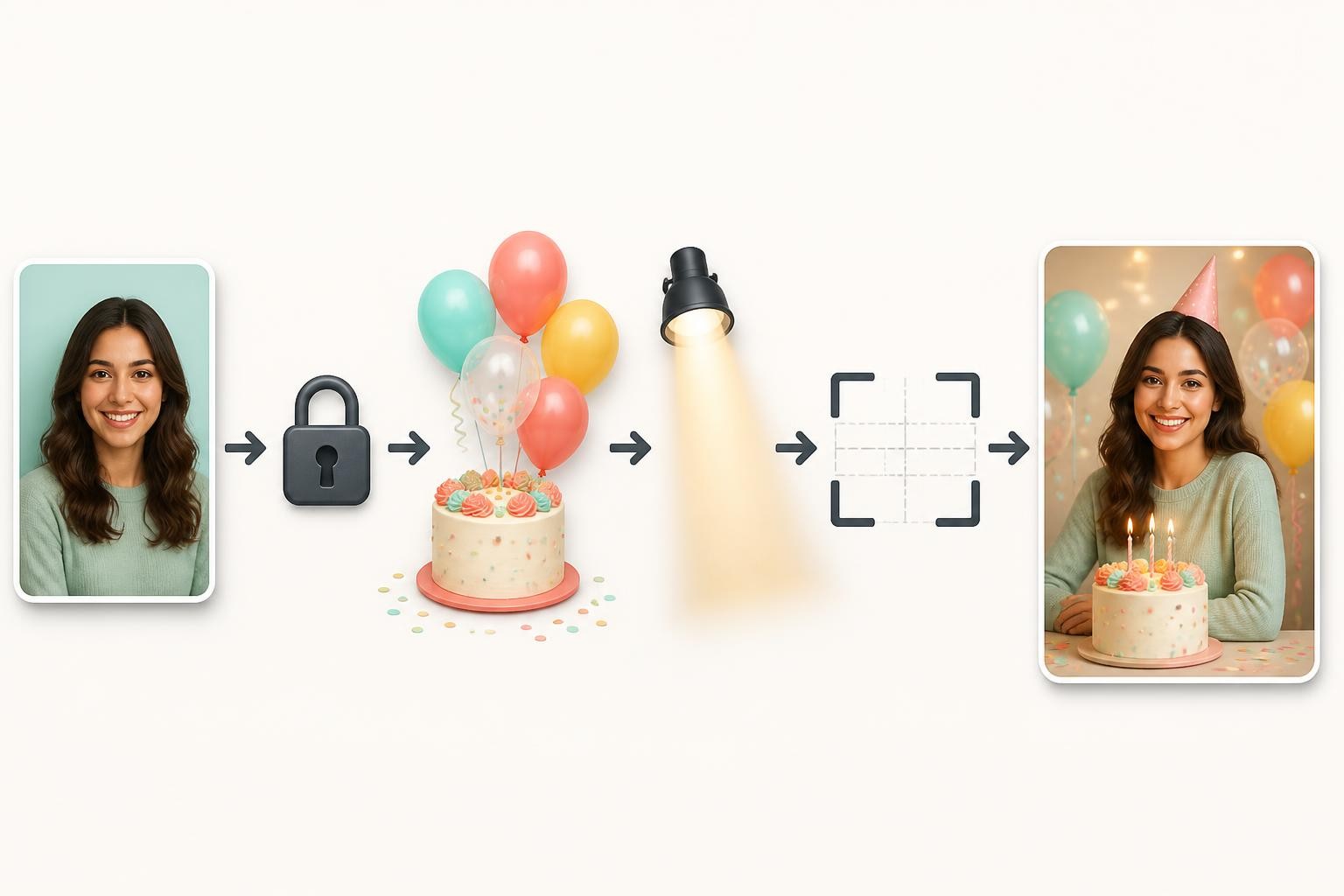
When to use an image reference
Use a reference photo when the birthday image needs to look like a real person. Do not rely on text alone for exact likeness. OpenAI's image guidance also recommends being mindful with real people's likenesses and using reference photos with permission. For children, get guardian permission and avoid publishing private identifiers.
Skip reference photos when you are making a general birthday card, a party background, a brand-safe graphic, or an illustrative scene. In those cases, a generic subject is easier to control and safer to reuse.
The practical takeaway
The best happy birthday prompt is not the longest prompt. It is the clearest brief. Start with the deliverable, protect the identity if a real person is involved, choose three birthday signals, define the light and crop, and remove generated text unless you truly need it.
To turn a birthday photo or idea into a cleaner AI-ready edit, try happy birthday prompt with a reference image, a clear scene, and the constraint list from this guide.