
Nano Banana 2.1 vs Pro: Which Fits Your Image Workflow?
Start with Nano Banana 2.1 for everyday image creation and editing, then compare Pro when a specific failure keeps an otherwise useful image from being approved. For Nano Banana 2.1 vs Pro, the deciding question is how much work it takes to get the image you can actually use. A newer release does not win every brief, and paying more does not guarantee that an important detail survives.
Both models can generate and edit images at up to 4K. The meaningful differences include image output cost, reference roles, available controls, and how reliably each handles your particular assignment. This guide is for creators, shop owners, and small design teams choosing a workflow. The example briefs and evaluation steps below are recommendations, not reported benchmark results.

Is Nano Banana 2.1 better than Pro?
It can be the better value when you need several usable variations and its outputs satisfy your requirements. Pro deserves a comparison when exact likeness, tightly specified design, or established reference workflows make rework expensive. An approved 2.1 image can be the final asset; there is no need to regenerate it simply because Pro is available.
For Nano Banana 2.1 vs Nano Banana Pro, begin with the task you repeat most often. A background replacement, a poster, and a character series have different failure conditions. Choose using those conditions instead of an attractive example from an unrelated task.
Nano Banana 2.1 vs Pro: the differences that matter
Nano Banana 2.1 updates Nano Banana 2, while Nano Banana Pro is the Gemini 3 Pro Image model. Check the selected image model, because a subscription called “Pro” does not identify the generator. Comparisons involving the older Nano Banana 2 also do not automatically describe 2.1.
| Decision point | Nano Banana 2.1 | Nano Banana Pro |
|---|---|---|
| Main role | Efficient generation and conversational editing | Demanding design and precise creative control |
| Output tiers | 1K, 2K, 4K | 1K, 2K, 4K |
| Total reference ceiling | Up to 14 images | Up to 14 images |
| Documented reference roles | Up to 10 objects and 4 characters | Up to 6 objects, 5 characters, and 3 style references |
| Search grounding | Google Web and Image Search | Google Web Search |
These are API capabilities. A website may offer fewer uploads or controls. Reference categories describe supported guidance, not a promise that every person or object will remain perfect. Four character references also do not mean that only four people can appear in a picture.
The reference-role distinction in Nano Banana 2.1 vs Pro matters if your brief depends on five separate identities or dedicated style references. Confirm that the interface exposes the relevant capability before buying access. For a single product against a new background, preserving the item's construction may matter far more than the maximum upload count.
Choose by what must survive the edit
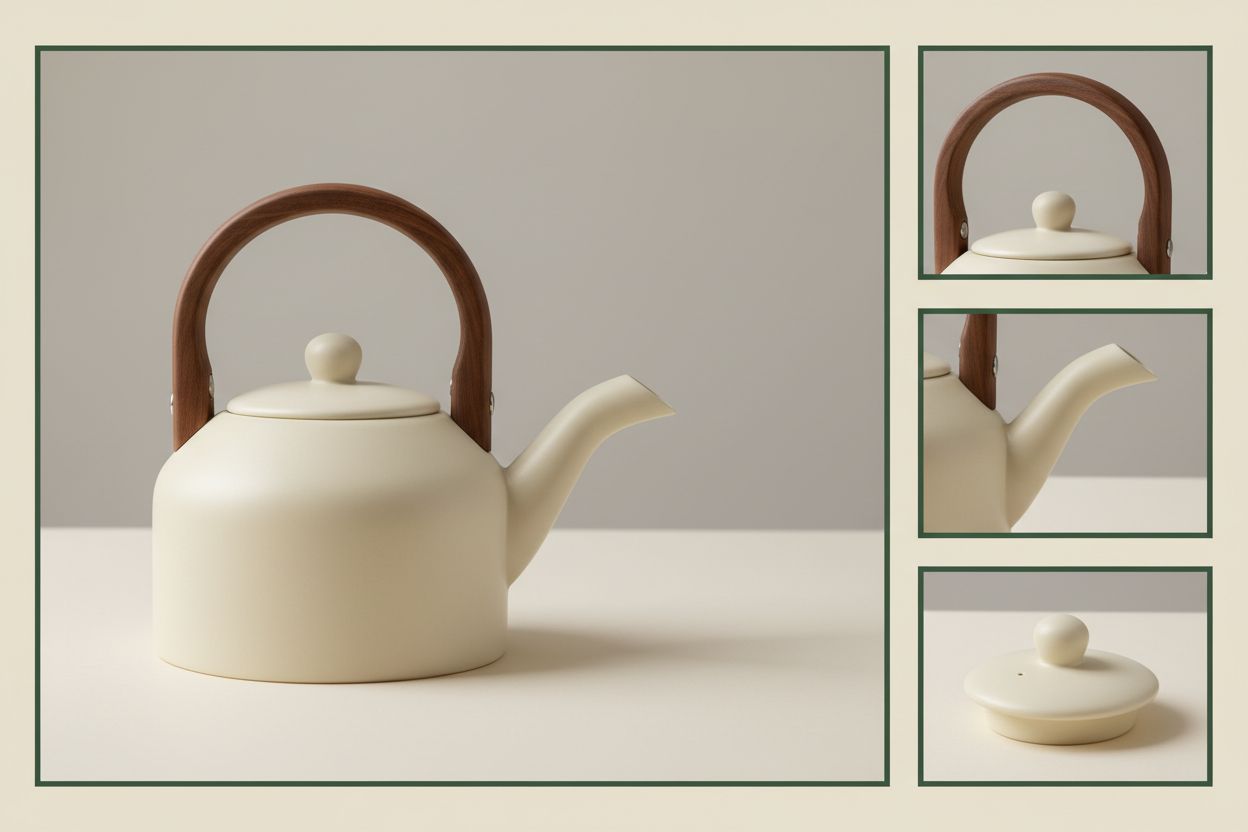
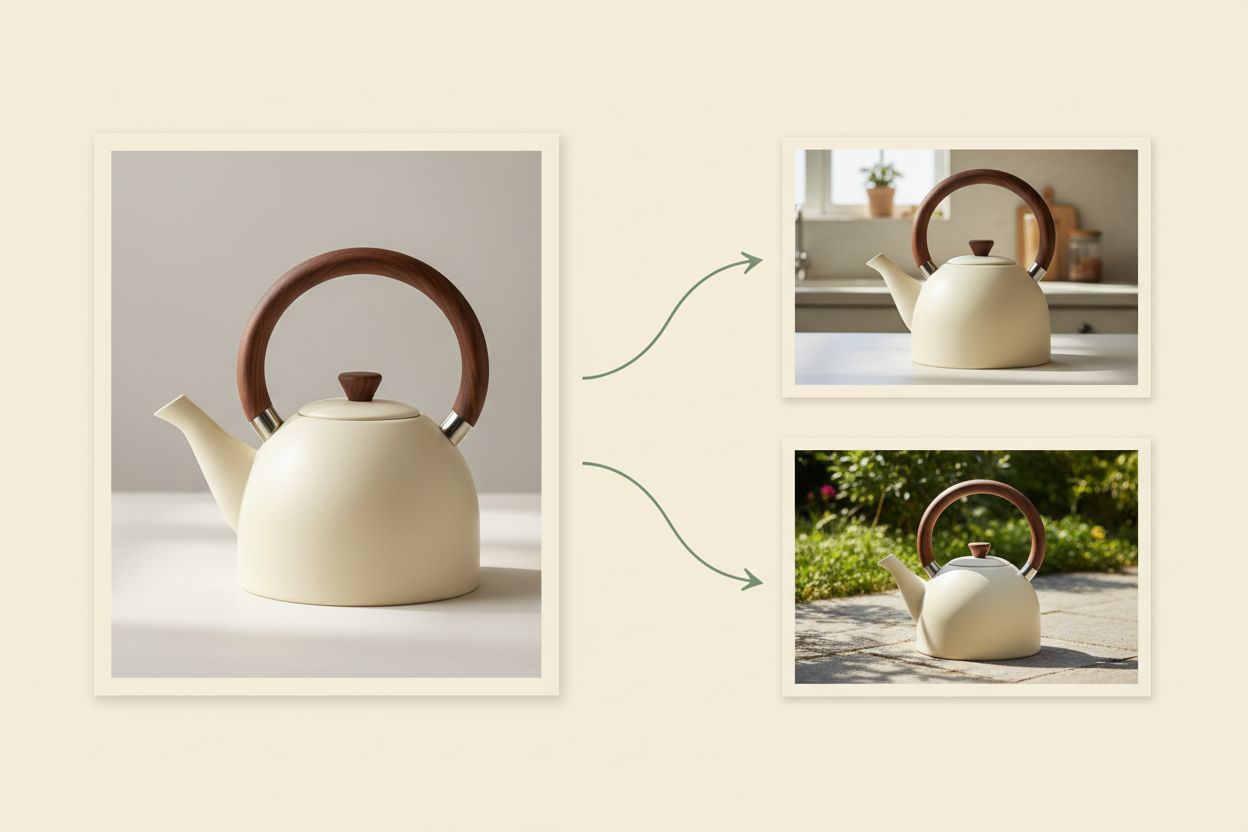
Consider a hypothetical campaign for a cream ceramic kettle. The product has a short curved spout, an oval wooden handle, and a small circular lid. You need a kitchen scene, a square social image, and a wider banner with room for copy. This example gives a Nano Banana 2.1 vs Pro trial a concrete purpose.
Write a brief with three parts:
- Change: replace the studio background with a softly lit kitchen counter.
- Preserve: keep the kettle's spout, handle, lid, glaze color, and relative proportions.
- Reject: any output with a redesigned handle, extra lid, cropped spout, or background that obscures the product.
Then separate requirements from preferences. A warmer counter surface may be acceptable; a different handle may make the asset unusable. Review product fidelity before judging atmosphere. Otherwise, pleasing light can conceal the exact error you were trying to avoid.
For Nano Banana Pro vs 2.1, apply the same rejection rules to both. Do not forgive a structural error because one version looks more expensive. Equally, do not reject a correct image merely because it has less dramatic lighting. Lighting can often be adjusted after the important details are approved.
Give every reference a clear role
A front view can establish silhouette, while a close view explains the handle attachment. Say what each reference contributes. A mood image should guide the surroundings rather than silently redefine the product. Avoid a pile of near-identical photos when two clear views communicate the required details.
A useful Nano Banana 2.1 vs Pro prompt might read: “Place this kettle on a pale stone kitchen counter. Preserve the original product geometry, cream glaze, wooden handle, and circular lid. Change only the setting and lighting. Leave open space to the right. Do not add packaging or lettering.”
This is a starting brief, not a guaranteed prompt. If the handle still changes, make that instruction more specific and inspect the next result. Repeating a vague request with more adjectives rarely tells you which constraint the model missed.
Text and layout require a separate check
In Nano Banana 2.1 vs Pro, attractive text is not necessarily correct text. Check the exact headline, punctuation, numerals, and line breaks. A poster with one incorrect date may be less useful than a simpler composition that gets every character right. Inspect the downloaded file at its intended display size.
Specify whether you want flat artwork or a photograph of a printed design. “Create a poster” leaves that distinction open. Also identify the area reserved for text, the intended crop, and whether small supporting copy is essential. These instructions make a layout comparison more informative.
When asking “is Nano Banana 2.1 better than Pro?” for typography, test the wording you will publish. Improvements over an older model do not establish a win over Pro for every language or composition. If approved typography must remain editable, generate the visual with clear space and add the final lettering in a design editor.
For people, apply a similarly specific review. Matching hair and clothing does not prove that a face retains its identity. Compare facial proportions and distinctive features independently from styling. The most flattering image is not necessarily the most faithful one.
Price the accepted image, including the retries
The clearest numerical difference in Nano Banana 2.1 vs Pro is the image output charge. As checked on October 12, 2026, Google's Standard Gemini API lists these approximate image output costs in US dollars:
| Output tier | Nano Banana 2.1 per image | Nano Banana Pro per image |
|---|---|---|
| 1K | $0.0336 | $0.134 |
| 2K | $0.0504 | $0.134 |
| 4K | $0.113 | $0.24 |
These figures cover image output only. Inputs, text and thinking output, applicable search charges, and additional billed attempts can increase spending. They are not Img2Img AI credit prices or consumer subscription fees. Use the actual charge displayed by your chosen service for your working budget.
At 2K, two 2.1 outputs total $0.1008 in image output charges; three total $0.1512. One Pro output is listed at approximately $0.134. That illustrates why retries matter in Nano Banana Pro vs 2.1: a lower unit price can lose its advantage if reaching an acceptable result takes enough extra attempts. This is arithmetic, not a measured success rate.
Track total billed generation spend divided by accepted images. Record review and repair time separately. If two workflows cost nearly the same but one repeatedly needs manual correction, that time can decide the practical winner. Avoid counting every downloaded image as accepted when several still fail the brief.
Run a Nano Banana 2.1 vs Pro comparison you can repeat
A small Nano Banana 2.1 vs Pro evaluation should mirror your normal work. Pick a product edit, a design with exact text, and a scene that must preserve a person's identity, replacing any irrelevant case with one you actually deliver. Set a spending limit before you begin.
Match the inputs and keep the failures
Use the same source images, prompt, aspect ratio, and resolution wherever both interfaces support them. Record any mismatch, including automatic prompt enhancement or search settings. An interface difference can affect the result, so avoid attributing everything you see to the underlying model.
Run each case several times within your budget and retain every output. Record whether the requested change happened, whether protected details survived, and whether the export is usable. A single beautiful example cannot show how often you will need another attempt.
When comparing Nano Banana 2.1 vs Nano Banana Pro, inspect images at matching scale. Compare the full composition, then zoom into the details that could cause rejection. Do not judge one original export against the other model's compressed preview.
Add a revision that tests preservation
After choosing a candidate, request one further change: move the kettle slightly left, for example. Compare the new output with the approved starting image. Recheck the handle and spout even though the requested change involved positioning. Local improvement can coincide with unwanted changes elsewhere.
This second pass makes Nano Banana 2.1 vs Pro relevant to editing rather than just first impressions. If details drift, return to the approved source and restate the change boundary. Continuing from a degraded version can make it harder to tell which revision introduced the problem.
When to keep 2.1 and when to try Pro
Keep 2.1 when its outputs meet the brief consistently enough for your workload. Use it for an accepted final image as readily as for exploration. Switching models after approval introduces another opportunity for the composition or identity to change.
Try Pro when the same meaningful failure persists after clarifying the prompt, or when its documented reference roles fit your assignment better. That is a targeted Nano Banana 2.1 vs Pro decision: identify the problem you need Pro to solve, then check whether the additional cost produces less rework.
The reverse also matters. If Pro adds unwanted elements or misses a constraint, compare 2.1 using the same brief. A premium label should not excuse a failure. Keep an existing Pro workflow when it already delivers reliably and the expected savings do not justify rebuilding and checking it.
Does 4K make Pro necessary?
No. Both models offer 4K output. In Nano Banana 2.1 vs Nano Banana Pro, resolution is a shared capability, while correctness remains something you must inspect. More pixels do not automatically fix an altered face, invented component, or misspelled word.
Which one is faster in practice?
Time the entire path from submission to a usable export. Queue load, settings, and retries affect that experience. For Nano Banana Pro vs 2.1, a fast first result can still mean a slow delivery if it needs repeated repairs. No fixed speed multiplier is established here.
Is Nano Banana 2.1 better than Pro for your next job?
Start with 2.1 when you are exploring an unfamiliar brief, then keep whichever workflow passes your checks with acceptable effort and cost. Save the prompt, references, and approved result so the next assignment begins with evidence from your own work.
Put nano banana 2.1 vs pro into practice with a focused image edit on Img2Img AI. Bring one clear reference, describe what should change and what must remain, and inspect the result before building more variations.
